AI Agents LangGraph
Edges in LangGraph
Intermediate
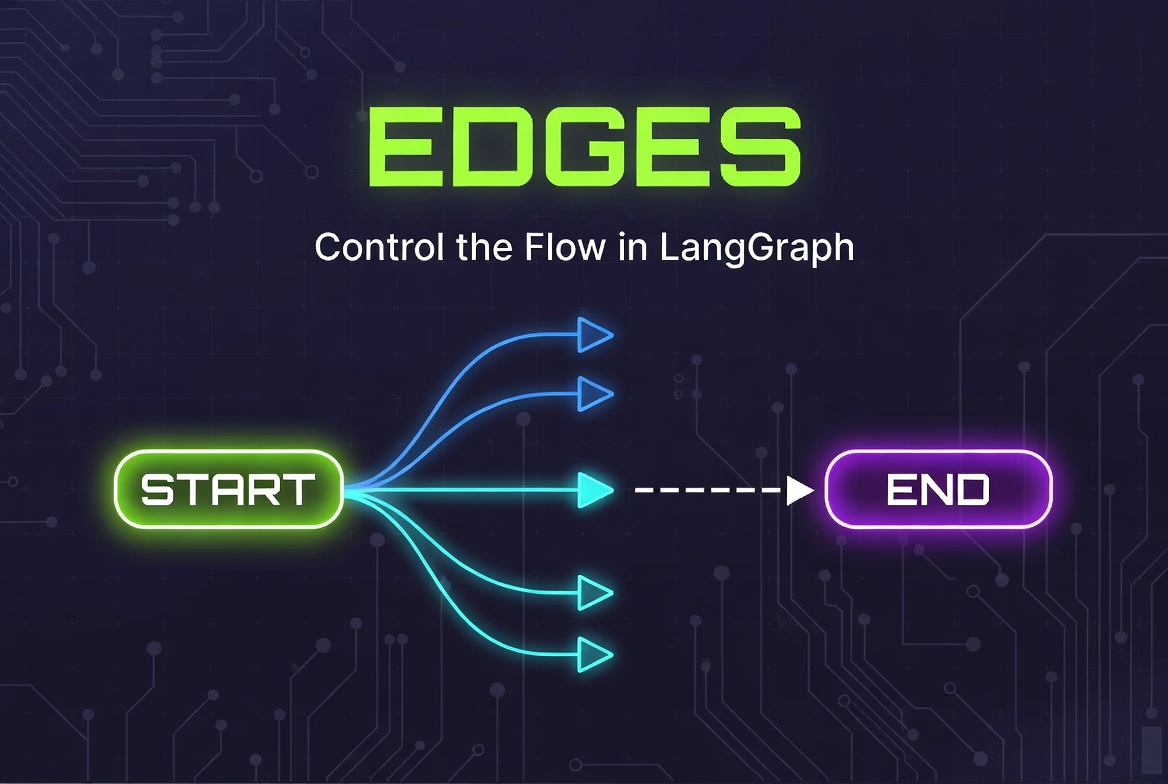
In this topic, we explore edges in LangGraph and understand how they control execution flow between nodes in a graph-based workflow. We discuss why edges are important, how execution moves through a graph, and the difference between fixed edges and conditional edges.
We cover the major edge patterns used in LangGraph, including sequential flows, branching workflows, loops, parallel execution paths, and START/END connections. We also examine routing logic using router functions and the
Command
object for advanced dynamic workflows.
Additionally, we explore practical workflow patterns such as ReAct loops, fan-out/fan-in architectures, retry systems, human-in-the-loop flows, and hierarchical graph structures. Finally, we review common mistakes, debugging considerations, and best practices for designing clean, maintainable, and reliable LangGraph workflows before graph compilation.
Edges in LangGraph
In this topic we deep dive into edges in LangGraph.
What Are Edges in LangGraph?
- If Nodes are the “actions” or “workers”,
- Then Edges are the “roads” or “connections” that link those actions together.
There are two main types of Edges in LangGraph:
-
Fixed / Static Edges (add_edge)
- Always go from one node to another specific node.
- Used for predictable, linear flows.
-
Conditional / Dynamic Edges (add_conditional_edges)
- Decide the next node at runtime (usually based on LLM output or logic).
- Most powerful and commonly used in agents.
The others:
- cyclic edges
- parallel edges
- START/END edges
are more like:
- workflow patterns
- execution behaviors
- architectural uses of edges
rather than separate LangGraph edge classes. In this topic all are covered.
Why Edges Matter
- Execution Flow is Explicit: The graph’s behavior is determined by the connections (edges), not by the sequence in which you wrote the code. This makes your workflow logic clear and predictable.
- Flexibility in Design: You can add nodes in any order you like. The actual execution path is defined separately through edges. This allows you to easily reorganize, reuse, or modify flows.
-
Supports Complex Architectures:
Edges enable powerful patterns like:
- Branching (conditional routing)
- Loops (agent cycles)
- Parallel execution
- Merging paths
- Skipping or repeating steps
- Easier Debugging & Visualization: When something goes wrong, you can look at the edges to instantly understand how data flows through your graph — instead of hunting through code order.
Adding a node doesn’t automatically connect it to anything. Until you add edges, your nodes are isolated islands.

How Edges Work in LangGraph
1. Fixed (Static) Edges –
add_edge()
from langgraph.graph import StateGraph, START, END

graph = StateGraph(MessagesState)

graph.add_node("agent", agent_node)
graph.add_node("tools", tool_node)
graph.add_node("summarize", summarize_node)

# Fixed edges
graph.add_edge(START, "agent")
graph.add_edge("agent", "tools")
graph.add_edge("tools", "summarize")
graph.add_edge("summarize", END)
2. Conditional (Dynamic) Edges –
add_conditional_edges()
def route_after_agent(state: MessagesState):
    last_message = state["messages"][-1]

    if last_message.tool_calls:
        return "tools"        # Go to tool node
    else:
        return "END"          # Finish

# Add conditional edge
graph.add_conditional_edges(
    "agent",                  # Starting node
    route_after_agent,        # Router function
    {
        "tools": "tools",     # Mapping: return value → target node
        "END": END
    }
)- Graph starts at START
- A node runs
- LangGraph checks all outgoing edges from that node
- It moves to the next node(s) based on those edges
- Repeats until it reaches END
A node can have multiple outgoing edges, enabling branching, parallel execution, and loops.
Execution Flow in LangGraph
-
Start
The graph always begins at the special START node. -
Node Execution
The current node receives the latest state, runs its logic, and returns updates. -
State Update
LangGraph merges the node’s return value into the current state (using reducers where needed). -
Edge Evaluation
LangGraph looks at all outgoing edges from the current node to decide what to do next:- Fixed edge → Go to the specified node
- Conditional edge → Run the router function to decide the next node
-
Repeat
Steps 2–4 continue until the graph reaches the special END node (or an interrupt occurs). -
Finish
When END is reached, execution stops and the final state is returned.
Types of Edges
Normal Edges (Fixed / Static Edges)
- Linear workflows
- Straightforward step-by-step processes
- When the next step is always the same
graph.add_edge(START, "agent")
graph.add_edge("agent", "tools")
graph.add_edge("tools", "summarize")
graph.add_edge("summarize", END)
Key Point: Once defined, the flow never changes, always goes from source node to target node.
Conditional Edges (Dynamic Routing)
- Tool calling decisions
- Branching logic
- Different workflows based on user input or LLM output
def route_after_agent(state):
    if state["messages"][-1].tool_calls:
        return "tools"
    return "END"

graph.add_conditional_edges(
    "agent",                    # Source node
    route_after_agent,          # Router function
    {
        "tools": "tools",       # Mapping: return value → target node
        "END": END
    }
)
Cyclic Edges (Loops)
- ReAct-style agents
- Retry mechanisms
- Multi-step reasoning loops
# Example: Agent keeps running until it decides to finish
graph.add_conditional_edges(
    "agent",
    route_after_agent,
    {
        "tools": "tools",
        "continue": "agent",   # ← Loop back to agent
        "END": END
    }
)

graph.add_edge("tools", "agent") # Tool result goes back to agentParallel Edges
- Running multiple searches at once
- Concurrent tool calls
- Multi-source data gathering
# Fan-out from START
graph.add_edge(START, "web_search")
graph.add_edge(START, "vector_search")

# Fan-in to aggregator
graph.add_edge("web_search", "aggregate")
graph.add_edge("vector_search", "aggregate")from langgraph.types import Send
def route_parallel(state):
return [
Send("web_search", state),
Send("vector_search", state)
]
graph.add_conditional_edges(START, route_parallel)
START/END Edges
START
and
END
are built-in virtual nodes in LangGraph.
- START: The entry point of every graph. You always connect from START.
- END: The exit point. When the graph reaches END, execution stops.
from langgraph.graph import START, END

graph.add_edge(START, "first_node")
graph.add_edge("last_node", END)

# You can also use them in conditional edges
graph.add_conditional_edges("router", lambda s: "END" if done else "next_node")- We cannot add a node named START or END.
- Every graph must eventually reach END (unless using interrupts).
Routing Logic
- Enables dynamic workflows instead of rigid linear flows
- Allows the graph to respond differently based on LLM output, state, or custom rules
- Essential for building agents that can decide whether to call tools, continue reasoning, or finish
- Takes the current state as input
- Returns the name of the next node (as a string) or a list of nodes (for parallel execution)
def route_tools(state: MessagesState) -> str:
    """Simple routing based on tool calls."""
    last_message = state["messages"][-1]

    if last_message.tool_calls:
        return "tools"          # Go to Tool Node
    else:
return "END" # Finish executiondef route_after_agent(state: MessagesState):
"""Let the LLM decide the next step via tool calling."""
last_message = state["messages"][-1]
# If LLM requested tool calls
if last_message.tool_calls:
return "tools"
# Otherwise, end the conversation
return "END"
# Attach the router to a conditional edge
graph.add_conditional_edges(
"agent",
route_after_agent,
{
"tools": "tools",
"END": END
}
)def complex_router(state: MessagesState):
last_message = state["messages"][-1]
confidence = getattr(last_message, "confidence", 0.0)
if "error" in state:
return "fix_error"
elif confidence < 0.7:
return "retry"
elif last_message.tool_calls:
return "tools"
else:
return "summarize"Using the Command Object for Advanced Routing
- Combines state update + next destination in one return
- Reduces the need for many conditional edges
- Great for dynamic routing, multi-agent handoffs, and edgeless graphs
- More intuitive when the decision and update belong together
from langgraph.types import Command
from langgraph.graph import StateGraph, START, END
from typing import Literal

def router_node(state):
    """Decide next step and update state in one go."""
    user_input = state["messages"][-1].content.lower()

    if "joke" in user_input:
        return Command(
            update={"intent": "joke"},           # Update state
            goto="joke_node"                     # Route to next node
        )
    elif "research" in user_input:
        return Command(
            update={"intent": "research"},
            goto="research_node"
        )
    else:
        return Command(
            update={"intent": "unknown"},
            goto=END
        )


# Add the node (no conditional edge needed!)
graph.add_node("router", router_node)
graph.add_node("joke_node", joke_generator)
graph.add_node("research_node", researcher)

graph.add_edge(START, "router")from langgraph.types import Command
from typing_extensions import Literal
def agent_node(state) -> Command[Literal["tools", "END"]]:
"""LLM-powered agent that returns Command."""
response = llm_with_tools.invoke(state["messages"])
if response.tool_calls:
return Command(
update={"messages": [response]}, # Add the LLM message
goto="tools" # Route to tools
)
else:
return Command(
update={"messages": [response]},
goto=END
)- When the routing decision and state update are tightly coupled
- In multi-agent systems or complex branching logic
- When you want cleaner, more maintainable code
Best Practices for Routing Logic
- Keep router functions pure and fast (avoid heavy computation)
- Make return values match the keys in your add_conditional_edges() mapping
- Use clear, consistent node names
- Handle all possible cases to avoid errors
- Consider using Command object (newer LangGraph feature) for more advanced control
Routing Logic + Conditional Edges = The brain of a LangGraph application. This is where simple scripts become intelligent, adaptive AI workflows.
add_edge()
graph.add_edge(source: str, target: str)from langgraph.graph import StateGraph, START, END
graph = StateGraph(MessagesState)
graph.add_node("agent", agent_node)
graph.add_node("tools", tool_node)
graph.add_node("summarize", summarize_node)
# Fixed edges
graph.add_edge(START, "agent")
graph.add_edge("agent", "tools")
graph.add_edge("tools", "summarize")
graph.add_edge("summarize", END)- Linear workflows
- Predictable step-by-step processes
- Connecting to START and END
- Simple pipelines
- Simple and readable
- No runtime decision needed
- Cannot branch or loop by itself
add_conditional_edges()
graph.add_conditional_edges(
    source: str,                    # Starting node
    path: Callable,                 # Router function
    path_map: dict | None = None,   # Mapping: return value → target node
    then: str | None = None         # Optional: run this node after all paths
)def route_after_agent(state: MessagesState) -> str:
"""Router function - decides where to go next"""
last_message = state["messages"][-1]
if last_message.tool_calls:
return "tools"
elif "continue" in last_message.content.lower():
return "agent" # Loop back
else:
return "END"
# Add conditional edge
graph.add_conditional_edges(
"agent", # Source node
route_after_agent, # Router function
{
"tools": "tools", # If router returns "tools" → go to tools node
"agent": "agent", # Loop back to agent
"END": END # Finish execution
}
)- Use add_edge() for simple, predictable connections.
- Use add_conditional_edges() whenever the next step depends on logic or LLM output.
- You can mix both types in the same graph.
- Keep your router functions fast and pure (avoid heavy computation).
Branching Workflows in LangGraph
Why Branching Matters
- Handle different types of user requests
- Implement if-this-then-that logic
- Support fallback paths
- Create dynamic multi-step reasoning
- Build complex agent behaviors
Simple Branching Example (Rule-based)
def route_query(state: MessagesState) -> str:
    """Decide which branch to take based on user input."""
    user_input = state["messages"][-1].content.lower()

    if "joke" in user_input:
        return "joke_branch"
    elif "research" in user_input or "search" in user_input:
        return "research_branch"
    elif "math" in user_input or "calculate" in user_input:
        return "calculator_branch"
    else:
        return "general_branch"


# Add the branching
graph.add_conditional_edges(
    "agent",                    # Start branching from agent node
    route_query,
    {
        "joke_branch": "joke_node",
        "research_branch": "research_node",
        "calculator_branch": "calculator_node",
        "general_branch": "general_response_node"
    }
)
LLM-Powered Branching (Most Common)
def route_after_agent(state: MessagesState):
    """Let the LLM decide the best branch using tool calling."""
    last_message = state["messages"][-1]

    if last_message.tool_calls:
        return "tools"                    # Tool calling branch
    elif "analyze" in last_message.content.lower():
        return "analysis_branch"
    else:
        return "final_answer"


graph.add_conditional_edges(
    "agent",
    route_after_agent,
    {
        "tools": "tools",
        "analysis_branch": "data_analyzer",
        "final_answer": "final_answer_node"
    }
)
Multiple Branches from One Node (Fan-out)
from langgraph.types import Send

def route_to_parallel_branches(state):
    return [
        Send("web_search", state),
        Send("vector_search", state),
        Send("news_search", state)
    ]

graph.add_conditional_edges(START, route_to_parallel_branches)- Keep router functions simple and fast
- Always handle all possible return values
- Use clear, descriptive branch names
- Consider using the Command object for cleaner code in complex cases
- Test each branch independently
Loops and Cycles in LangGraph
- Allow agents to iterate and improve their answers
- Support retry logic on failure
- Enable multi-turn reasoning
- Make it possible to keep calling tools until the task is complete
- Create persistent, stateful workflows
Basic Loop Pattern (ReAct Style)
from langgraph.graph import StateGraph, START, END

def route_after_agent(state: MessagesState) -> str:
    last_message = state["messages"][-1]

    if last_message.tool_calls:
        return "tools"           # Go to tools
    else:
        return "END"             # Finish


graph = StateGraph(MessagesState)

graph.add_node("agent", agent_node)
graph.add_node("tools", tool_node)

graph.add_edge(START, "agent")

# Create the loop
graph.add_conditional_edges("agent", route_after_agent)

# After tools finish, loop back to agent
graph.add_edge("tools", "agent")

graph.add_edge("agent", END) # Only reached via conditionalSTART → Agent → (decides)
├── Tools → back to Agent (loop)
└── END (when done)Loop with Maximum Iterations (Safety)
def route_with_limit(state: MessagesState) -> str:
    # Count how many times agent has run
    agent_runs = sum(1 for msg in state["messages"] if isinstance(msg, AIMessage))

    if agent_runs > 10:                    # Safety limit
        return "END"
    elif state["messages"][-1].tool_calls:
        return "tools"
    else:
        return "END"
Using Command for Cleaner Loops
from langgraph.types import Command

def agent_node(state):
    response = llm_with_tools.invoke(state["messages"])

    if response.tool_calls:
        return Command(
            update={"messages": [response]},
            goto="tools"           # Continue loop
        )
    else:
        return Command(
            update={"messages": [response]},
            goto=END
)- Always add a maximum iteration limit to prevent infinite loops
- Use checkpointer (persistence) so the graph can resume after interruptions
- Keep loop logic clear and readable
- Monitor state size — especially message history (use summarization if needed)
Loops turn a static graph into a thinking, iterating agent. Combined with conditional edges and state management, this is where LangGraph really shines.
Returning
END
in LangGraph
- It tells LangGraph: “This workflow is complete. Stop here.”
- No further nodes will execute after END.
- The compiled graph will return the current state as the final output.
Ways to Return END
Using Fixed Edge (Simple)
from langgraph.graph import StateGraph, START, END

graph.add_edge("final_node", END)   # Always end after this node
Using Conditional Edges (Most Common)
def route_after_agent(state: MessagesState) -> str:
    last_message = state["messages"][-1]

    # Decide to finish
    if not last_message.tool_calls and "final answer" in last_message.content.lower():
        return "END"                    # ← Return END as string
    elif last_message.tool_calls:
        return "tools"
    else:
        return "agent"


graph.add_conditional_edges(
    "agent",
    route_after_agent,
    {
        "tools": "tools",
        "agent": "agent",
        "END": END          # ← Map the string "END" to the special END node
    }
)
Using Command Object (Modern & Recommended)
from langgraph.types import Command

def agent_node(state):
    response = llm_with_tools.invoke(state["messages"])

    if response.tool_calls:
        return Command(update={"messages": [response]}, goto="tools")
    else:
        return Command(update={"messages": [response]}, goto=END)  # Direct END
Best Practices for Returning END
- Be explicit — Always define a clear condition for when the graph should end.
-
Use meaningful checks like:
- No more tool calls
- Final answer is generated
- Task is completed
- Confidence threshold reached
- Add safety limits (max iterations) to prevent infinite loops.
- Return END from a router function or directly via Command.
Example of a good ending condition:
if last_message.tool_calls:
    return "tools"
elif "final_answer" in state:          # Custom state flag
    return "END"
else:
    return "agent"
END
is the
stop sign
. Properly returning
END
ensures our graph doesn’t run forever and gives clean, predictable completion.
Edge Design Patterns in LangGraph
Linear / Sequential Pattern
graph.add_edge(START, "preprocess")
graph.add_edge("preprocess", "agent")
graph.add_edge("agent", "postprocess")
graph.add_edge("postprocess", END)ReAct Loop Pattern (Most Popular for Agents)
graph.add_edge(START, "agent")

graph.add_conditional_edges(
    "agent",
    route_after_agent,
    {"tools": "tools", "END": END}
)

graph.add_edge("tools", "agent")   # Loop back
Agent → Tools → Agent → Tools → ... → END
Branching / Router Pattern
graph.add_conditional_edges(
    "router",
    intent_classifier,
    {
        "research": "research_node",
        "creative": "creative_node",
        "math": "calculator_node",
        "general": "general_node"
    }
)
Parallel + Aggregation Pattern (Fan-Out / Fan-In)
# Fan-out
graph.add_edge("start", "web_search")
graph.add_edge("start", "vector_search")
graph.add_edge("start", "news_search")

# Fan-in
graph.add_edge("web_search", "aggregate")
graph.add_edge("vector_search", "aggregate")
graph.add_edge("news_search", "aggregate")
Hierarchical / Subgraph Pattern
research_team = create_research_subgraph().compile()
graph.add_node("research_team", research_team)   # Subgraph as node

graph.add_edge("planner", "research_team")
graph.add_edge("research_team", "final_answer")
Human-in-the-Loop Pattern
graph.add_conditional_edges(
    "agent",
    lambda s: "human_approval" if needs_approval(s) else END
)

# Interrupt before human review
app = graph.compile(
    checkpointer=checkpointer,
    interrupt_before=["human_approval"]
)
Self-Correcting / Retry Pattern
def route_with_retry(state):
    if state.get("error") or confidence_low(state):
        return "fix_node"      # or back to "agent"
    return END

graph.add_conditional_edges("validator", route_with_retry)
graph.add_edge("fix_node", "agent")   # Retry
Command-Based Dynamic Routing (Modern Pattern)
from langgraph.types import Command

def supervisor_node(state):
    if condition:
        return Command(update=..., goto="worker_a")
    else:
        return Command(update=..., goto="worker_b")
Common Mistakes When Working with Nodes & Edges in LangGraph
1. Forgetting to Add Edges
graph.add_node("agent", agent_node)
graph.add_node("tools", tool_node)
# Forgot to connect them!
add_edge()
or
add_conditional_edges()
.
2. Incorrect Router Return Values
def bad_router(state):
    if condition:
        return "tool_node"        # Wrong name!
    return END
Problem: Router returns a string that doesn’t match any node name.
path_map
.
4. Missing END Condition (Infinite Loops)
if max_iterations_reached(state) or task_complete(state):
    return END
5. Using Same Node Name Twice
6. Not Handling All Router Cases
def router(state):
    if tool_calls:
        return "tools"
# What if neither condition is true?return "tools" if ... else "END"
7. Confusing
add_edge()
with
add_conditional_edges()
-
Use
add_edge()→ for fixed flows -
Use
add_conditional_edges()→ for decisions
8. Forgetting to Import
START
and
END
graph.add_edge("start", "agent") # Wrong!from langgraph.graph import START, END
graph.add_edge(START, "agent")
graph.add_edge("final", END)Quick Checklist Before Compiling
- All nodes are connected via edges?
- Router functions return valid node names?
- Every loop has an exit condition?
- Using partial state updates?
-
Imported
STARTandEND? -
Tested with
graph.compile()
AI agent LangChain LangGraph Python