AI Agents LangGraph
Model Integration
Intermediate
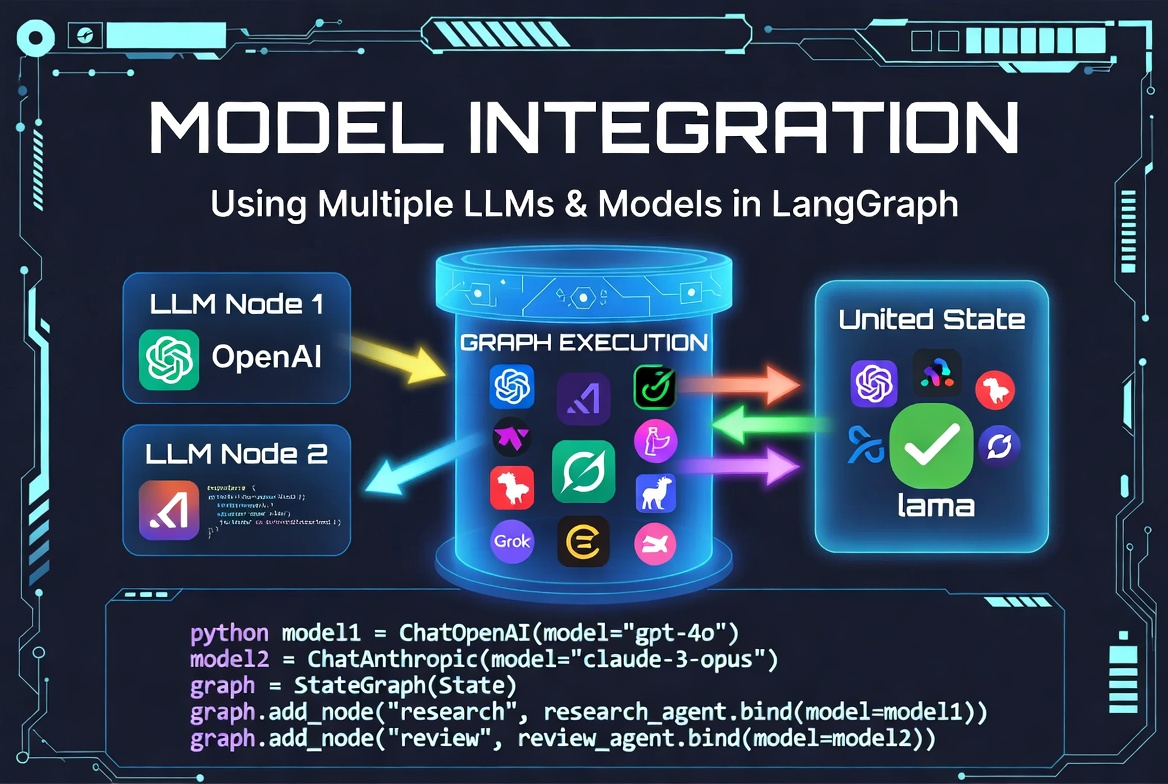
This post covers Model Integration in LangGraph , explaining how LLMs are connected and orchestrated within graph-based workflows. It explores model lifecycle, binding models to nodes, configuration options, and differences between chat and completion models. It also covers multi-model setups, routing strategies, provider options, streaming and async execution, tool integration, and context management. Finally, it discusses fallback strategies, evaluation and debugging, performance optimization, common mistakes, and best practices for building efficient, scalable multi-model LangGraph systems.
What Is Model Integration in LangGraph?
Why Model Integration Matters
- Flexibility: Easily swap between GPT-4o, Claude 3.5, Grok, or local models
- Cost Control: Use cheaper models for simple tasks, powerful ones for complex reasoning
- Performance: Mix fast and smart models in the same graph
- Maintainability: Keep model configuration separate from graph logic
- Multi-Model Systems: Use different models for different agents (e.g., Claude for planning, GPT for coding)
How LLMs Fit Into Graph Workflows
- As Decision Makers (Agent nodes)
- As Generators (Summarization, response writing)
- As Tool Callers
def agent_node(state: AgentState):
    # LLM acts as the brain of the agent
    response = llm_with_tools.invoke(state["messages"])
    return {"messages": [response]}
Chat Models vs Completion Models
from langchain_openai import ChatOpenAI
from langchain_anthropic import ChatAnthropic

chat_model = ChatOpenAI(model="gpt-4o", temperature=0.7)
claude = ChatAnthropic(model="claude-3-5-sonnet-20240620")

# Used with messages
response = chat_model.invoke([
    SystemMessage(content="You are a helpful assistant."),
    HumanMessage(content="What is LangGraph?")
])from langchain_openai import OpenAI
completion_model = OpenAI(model="gpt-3.5-turbo-instruct")
response = completion_model.invoke("Explain LangGraph in one sentence.")Always prefer Chat Models unless you have a specific reason to use completion models.
Model Lifecycle in an Agent System
from langchain_openai import ChatOpenAI

# 1. Initialize model (usually at app startup)
llm = ChatOpenAI(
    model="gpt-4o",
    temperature=0.0,
    streaming=True
)

# 2. Bind tools (for tool calling)
llm_with_tools = llm.bind_tools(tools)

# 3. Use in nodes
def agent_node(state: AgentState):
    response = llm_with_tools.invoke(state["messages"])
    return {"messages": [response]}

# 4. Optional: Different models for different tasks
fast_llm = ChatOpenAI(model="gpt-4o-mini")
smart_llm = ChatOpenAI(model="gpt-4o")
Binding Models to Nodes
Method 1: Simple Binding
def agent_node(state: AgentState):
    response = llm.invoke(state["messages"])   # Basic usage
    return {"messages": [response]}

graph.add_node("agent", agent_node)
Method 2: Binding Tools (Most Common)
from langchain_core.runnables import Runnable

# Bind tools once
llm_with_tools = llm.bind_tools(tools)

def agent_node(state: AgentState):
    response = llm_with_tools.invoke(state["messages"])
    return {"messages": [response]}

graph.add_node("agent", agent_node)
Method 3: Class-based Node with Model (Reusable)
class AgentNode:
    def __init__(self, llm):
        self.llm = llm.bind_tools(tools)

    def __call__(self, state: AgentState):
        response = self.llm.invoke(state["messages"])
        return {"messages": [response]}

# Usage
agent_node = AgentNode(llm=ChatOpenAI(model="gpt-4o"))
graph.add_node("agent", agent_node)- Initialize models once at startup
- Prefer ChatOpenAI, ChatAnthropic, etc.
- Use .bind_tools() for agents
- Consider different models for different tasks (fast vs smart)
- Use temperature=0 for deterministic behavior in critical nodes
Multi-Model Integration
Using Multiple LLMs in One Graph
from langchain_openai import ChatOpenAI
from langchain_anthropic import ChatAnthropic
from langchain_groq import ChatGroq

# Define different models
fast_llm = ChatOpenAI(model="gpt-4o-mini", temperature=0.7)      # Fast & cheap
smart_llm = ChatOpenAI(model="gpt-4o", temperature=0.0)          # High quality
claude = ChatAnthropic(model="claude-3-5-sonnet-20240620")
groq_llm = ChatGroq(model="llama3-70b-8192")

# Bind tools where needed
smart_with_tools = smart_llm.bind_tools(tools)def planner_node(state: AgentState):
# Use smart model for planning
return {"messages": [smart_llm.invoke(state["messages"])]}
def researcher_node(state: AgentState):
# Use fast model for quick research
return {"messages": [fast_llm.invoke(state["messages"])]}
def final_answer_node(state: AgentState):
# Use Claude for high-quality final output
return {"messages": [claude.invoke(state["messages"])]}Model Routing Strategies
def model_router(state: AgentState):
    last_message = state["messages"][-1].content.lower()
    complexity = detect_complexity(state)   # Custom function

    if complexity == "high" or "research" in last_message:
        return "smart_model_node"           # GPT-4o or Claude
    elif "code" in last_message:
        return "groq_node"                  # Fast code model
    else:
        return "fast_model_node"            # GPT-4o-mini


graph.add_node("smart_model_node", smart_agent_node)
graph.add_node("fast_model_node", fast_agent_node)
graph.add_node("groq_node", groq_agent_node)

graph.add_conditional_edges("router", model_router)
Small Model vs Large Model Delegation
def delegation_router(state: AgentState):
    # Simple heuristic routing
    message = state["messages"][-1].content.lower()

    # Quick & simple tasks → small model
    if len(message.split()) < 15 and ("hello" in message or "time" in message):
        return "small_model"

    # Complex reasoning, research, or code → large model
    return "large_model"


def small_model_node(state: AgentState):
    response = fast_llm.invoke(state["messages"])
    return {"messages": [response]}

def large_model_node(state: AgentState):
    response = smart_llm.invoke(state["messages"])
return {"messages": [response]}def smart_delegation_node(state: AgentState):
# First try with small model
small_response = fast_llm.invoke(state["messages"])
# Quick self-evaluation
evaluation = smart_llm.invoke([
*state["messages"],
AIMessage(content=small_response.content),
HumanMessage(content="Rate your confidence in this answer from 0 to 1.")
])
confidence = extract_confidence(evaluation.content)
if confidence > 0.85:
return {"messages": [small_response]}
else:
# Escalate to large model
large_response = smart_llm.invoke(state["messages"])
return {"messages": [large_response]}Cost-Aware Model Selection
class ModelConfig(BaseModel):
    name: str
    cost_per_million: float
    quality_score: float  # 1-10

models = {
    "fast": ModelConfig(name="gpt-4o-mini", cost_per_million=0.15, quality_score=7.5),
    "balanced": ModelConfig(name="gpt-4o", cost_per_million=2.5, quality_score=9.0),
    "premium": ModelConfig(name="claude-3-5-sonnet", cost_per_million=3.0, quality_score=9.5)
}

def cost_aware_router(state: AgentState):
    task_complexity = estimate_complexity(state)

    if task_complexity < 4:
        return "fast"
    elif task_complexity < 8:
        return "balanced"
    else:
        return "premium"


def get_model(model_key: str):
    if model_key == "fast":
        return fast_llm
    elif model_key == "balanced":
        return smart_llm
    else:
return claudedef agent_node(state: AgentState):
model_key = cost_aware_router(state)
selected_llm = get_model(model_key)
response = selected_llm.invoke(state["messages"])
return {
"messages": [response],
"model_used": model_key
}- Significant cost savings
- Better performance (speed + quality balance)
- Specialized capabilities (Claude for writing, GPT for tool calling, etc.)
- Fallback strategies
- Future-proof architecture
Model Providers in LangGraph
OpenAI Models
from langchain_openai import ChatOpenAI

# Basic configuration
llm = ChatOpenAI(
    model="gpt-4o",
    temperature=0.0,
    streaming=True
)

# Fast & cheap model
fast_llm = ChatOpenAI(
    model="gpt-4o-mini",
    temperature=0.7
)

# With tool calling
llm_with_tools = llm.bind_tools(tools)llm = ChatOpenAI(
model="gpt-4o-2024-11-20", # Specific version
temperature=0.0,
max_tokens=4096,
streaming=True,
model_kwargs={
"top_p": 0.95,
"frequency_penalty": 0.1
}
)Anthropic Models (Claude)
from langchain_anthropic import ChatAnthropic

claude = ChatAnthropic(
    model="claude-3-5-sonnet-20240620",
    temperature=0.0,
    max_tokens=8192
)

# With tool calling
claude_with_tools = claude.bind_tools(tools)- Planning and reasoning
- Writing and content generation
- Complex multi-step tasks
Google Gemini Models
from langchain_google_genai import ChatGoogleGenerativeAI

gemini = ChatGoogleGenerativeAI(
    model="gemini-1.5-pro",
    temperature=0.0,
    max_tokens=8192,
    convert_system_message_to_human=True   # Important for Gemini
)

# Flash version (faster & cheaper)
gemini_flash = ChatGoogleGenerativeAI(
    model="gemini-1.5-flash",
    temperature=0.7
)
Open-Source Models (Llama, Mistral, etc.)
from langchain_groq import ChatGroq

llama = ChatGroq(
    model="llama3-70b-8192",
    temperature=0.0
)

mixtral = ChatGroq(
    model="mixtral-8x7b-32768"
)from langchain_ollama import ChatOllama
llama3 = ChatOllama(
model="llama3.2:3b",
temperature=0.0,
num_ctx=8192
)
mistral = ChatOllama(
model="mistral-nemo",
temperature=0.7
)Local Model Deployment
from langchain_ollama import ChatOllama

local_llm = ChatOllama(
    model="llama3.2:3b",           # or "phi3", "gemma2", etc.
    temperature=0.0,
    num_ctx=16384,                 # Context window
    num_thread=8,                  # CPU threads
    # base_url="http://localhost:11434"
)from langchain_huggingface import ChatHuggingFace, HuggingFaceEndpoint
# Using Inference Endpoint
llm = HuggingFaceEndpoint(
repo_id="meta-llama/Llama-3.2-3B-Instruct",
task="text-generation",
max_new_tokens=512
)
chat_model = ChatHuggingFace(llm=llm)Using Multiple Providers in One Graph
# Define models from different providers
models = {
    "planner": ChatAnthropic(model="claude-3-5-sonnet-20240620"),
    "researcher": ChatOpenAI(model="gpt-4o-mini"),
    "coder": ChatGroq(model="llama3-70b-8192"),
    "final_writer": ChatAnthropic(model="claude-3-5-sonnet-20240620")
}

def planner_node(state):
    return {"messages": [models["planner"].invoke(state["messages"])]}

def researcher_node(state):
return {"messages": [models["researcher"].invoke(state["messages"])]}- Use smart routing to choose the right model per task
- Prefer Chat Models over Completion models
- Set temperature=0 for deterministic/critical nodes
- Use streaming for better UX
- Monitor costs and latency per model
- Have fallback models in case of rate limits
Streaming Model Responses
Token Streaming
from langchain_openai import ChatOpenAI

llm = ChatOpenAI(model="gpt-4o", streaming=True)

# Simple streaming
for chunk in llm.stream("Explain LangGraph in 3 sentences."):
print(chunk.content, end="", flush=True)def streaming_agent_node(state: AgentState):
response = ""
for chunk in llm.stream(state["messages"]):
if chunk.content:
response += chunk.content
print(chunk.content, end="", flush=True) # Real-time output
return {"messages": [AIMessage(content=response)]}Real-Time Output Generation
app = graph.compile()

inputs = {"messages": [HumanMessage(content="Write a detailed guide on building agents with LangGraph")]}

print("Agent is thinking...\n")

for chunk in app.stream(inputs, stream_mode="messages"):
    message, metadata = chunk
    if isinstance(message, AIMessage) and message.content:
print(message.content, end="", flush=True)async for event in app.astream_events(inputs, version="v2"):
if event["event"] == "on_chat_model_stream":
token = event["data"]["chunk"].content
if token:
print(token, end="", flush=True)
elif event["event"] == "on_tool_start":
print(f"\n[Tool Started: {event['name']}]")Partial Response Handling
async for event in app.astream_events(inputs, version="v2"):
    if event["event"] == "on_chat_model_stream":
        delta = event["data"]["chunk"].content
        if delta:
            # Send to frontend or UI
            await send_to_client(delta)

    elif event["event"] == "on_chain_end" and event["name"] == "agent":
print("\n[Agent finished thinking]")def streaming_agent_node(state: AgentState):
full_response = ""
for chunk in llm.stream(state["messages"]):
if chunk.content:
full_response += chunk.content
# Optional: yield partial for UI updates
yield {"partial": chunk.content}
return {"messages": [AIMessage(content=full_response)]}Streaming in LangGraph Nodes
def streaming_agent_node(state: AgentState):
    response_content = ""

    for chunk in llm.stream(state["messages"]):
        if chunk.content:
            response_content += chunk.content
            # You can emit partial updates here if needed

return {"messages": [AIMessage(content=response_content)]}from langchain_core.messages import AIMessageChunk
def advanced_streaming_node(state: AgentState):
full_content = ""
for chunk in llm.stream(state["messages"]):
if isinstance(chunk, AIMessageChunk):
full_content += chunk.content or ""
# Send partial chunk for real-time UI
# Example: websocket.send(chunk.content)
return {"messages": [AIMessage(content=full_content)]}- Use streaming=True when initializing the model
- Prefer astream_events(version="v2") for maximum control
- Use stream_mode="messages" for simple chat UIs
- Always handle partial content gracefully
- Show "thinking..." indicators during tool calls
- Combine with checkpointing for resumable streams
- Test with slower models to ensure smooth UX
async def stream_graph_response(user_input: str, thread_id: str):
    config = {"configurable": {"thread_id": thread_id}}
    inputs = {"messages": [HumanMessage(content=user_input)]}

    async for event in app.astream_events(inputs, config, version="v2"):
        if event["event"] == "on_chat_model_stream":
            content = event["data"]["chunk"].content
            if content:
                yield content
        elif event["event"] == "on_tool_start":
            yield f"\n🔧 Using tool: {event['name']}\n"
Async Model Execution
async vs sync model calls
from langchain_openai import ChatOpenAI

llm = ChatOpenAI(model="gpt-4o")

def agent_node(state):
    response = llm.invoke(state["messages"])   # Blocks execution
return {"messages": [response]}- One LLM call blocks the entire thread
- Poor performance with multiple nodes/tools
- Cannot handle concurrent operations efficiently
from langchain_openai import ChatOpenAI

llm = ChatOpenAI(model="gpt-4o")

async def agent_node(state):
    response = await llm.ainvoke(state["messages"])   # Non-blocking
return {"messages": [response]}- Better resource utilization
- Can run multiple operations concurrently
- Improved responsiveness
- Essential for production systems
ainvoke()
and concurrent calls
async def async_agent_node(state: AgentState):
    # Async LLM call
    response = await llm.ainvoke(state["messages"])
    return {"messages": [response]}

# Async Tool Node
async def async_tools_node(state: AgentState):
    results = await tool_executor.ainvoke(state["messages"][-1].tool_calls)
return {"messages": [ToolMessage(...) for ... in results]}import asyncio
async def parallel_research(state: AgentState):
# Run multiple async operations concurrently
tasks = [
web_search.ainvoke(state["messages"][-1].content),
vector_search.ainvoke(state["messages"][-1].content),
news_search.ainvoke(state["messages"][-1].content)
]
results = await asyncio.gather(*tasks) # Concurrent execution
return {
"documents": [doc for result in results for doc in result]
}Performance Optimization with Async Models
from langgraph.graph import StateGraph, START, END

graph = StateGraph(AgentState)

graph.add_node("planner", async_planner_node)
graph.add_node("researcher", async_researcher_node)
graph.add_node("writer", async_writer_node)

graph.add_edge(START, "planner")
graph.add_edge("planner", "researcher")
graph.add_edge("researcher", "writer")
graph.add_edge("writer", END)

# Compile normally (supports both sync and async)
app = graph.compile()

# Run asynchronously
result = await app.ainvoke(inputs)async for chunk in app.astream(inputs, stream_mode="messages"):
if chunk[1] and chunk[1].content:
print(chunk[1].content, end="", flush=True)
# Most powerful: astream_events
async for event in app.astream_events(inputs, version="v2"):
if event["event"] == "on_chat_model_stream":
print(event["data"]["chunk"].content, end="", flush=True)from langgraph.prebuilt import ToolNode
async def parallel_tools(state: AgentState):
tool_node = ToolNode(tools)
return await tool_node.ainvoke(state)- Use ainvoke() / astream() instead of invoke() in async code
- Leverage asyncio.gather() for concurrent independent calls
- Initialize models once at application startup
- Enable streaming for better UX in user-facing apps
- Handle exceptions properly in async nodes
- Use async checkpointers for full async support
async def robust_agent_node(state: AgentState):
    try:
        response = await llm.ainvoke(state["messages"])
        return {"messages": [response]}
    except Exception as e:
        print(f"LLM call failed: {e}")
        # Fallback or retry logic
return {"messages": [AIMessage(content="Sorry, I encountered an error. Please try again.")]}Model Tool Binding
Binding Tools to LLMs
from langchain_core.tools import tool
from langchain_openai import ChatOpenAI

# Define tools
@tool
def web_search(query: str) -> str:
    """Search the web for information."""
    return f"Search results for: {query}"

@tool
def calculator(expression: str) -> str:
    """Evaluate a mathematical expression."""
    return str(eval(expression))

tools = [web_search, calculator]

# Bind tools to the model
llm = ChatOpenAI(model="gpt-4o", temperature=0.0)
llm_with_tools = llm.bind_tools(tools) # ← Binding happens hereFunction Calling Support
def agent_node(state: AgentState):
    # The model now knows about the tools
    response = llm_with_tools.invoke(state["messages"])

    # Response may contain tool_calls
    if response.tool_calls:
        return {"messages": [response]}   # Let ToolNode handle execution
    else:
return {"messages": [response]} # Normal response- The model receives tool schemas in the system prompt
- When appropriate, it outputs a tool_calls list
- LangGraph’s ToolNode executes those calls
Tool Selection by Models
from langgraph.prebuilt import ToolNode

# Create ToolNode
tool_node = ToolNode(tools)

# Full agent loop
graph.add_node("agent", agent_node)
graph.add_node("tools", tool_node)

graph.add_edge(START, "agent")
graph.add_conditional_edges(
    "agent",
    lambda state: "tools" if state["messages"][-1].tool_calls else "END"
)
graph.add_edge("tools", "agent") # Loop back after tool use- One tool
- Multiple tools in parallel
- No tool (direct answer)
Structured Tool Outputs
ToolMessage
for proper conversation flow.
def agent_node(state: AgentState):
    response = llm_with_tools.invoke(state["messages"])

    if response.tool_calls:
        return {"messages": [response]}   # LLM wants to call tools

    return {"messages": [response]}       # Normal final answer


def tools_node(state: AgentState):
    # ToolNode automatically executes tool_calls and returns ToolMessages
    tool_results = tool_node.invoke(state)
return tool_results # Contains ToolMessage objects# 1. LLM decides to call tool
AIMessage(
content="",
tool_calls=[{
"name": "web_search",
"args": {"query": "LangGraph tutorial"},
"id": "call_abc123"
}]
)
# 2. Tool executes and returns
ToolMessage(
content="LangGraph is a library for building stateful agents...",
tool_call_id="call_abc123"
)Advanced Tool Binding Techniques
llm_with_tools = llm.bind_tools(
    tools,
    tool_choice="auto",           # Let model decide
    # tool_choice="any"           # Force tool use
)# The model can call multiple tools in one go
response = llm_with_tools.invoke("Search for LangGraph and calculate 15*23")
- Tool binding transforms a regular LLM into a reasoning agent
- Use llm.bind_tools(tools) to enable function calling
- Combine with ToolNode for seamless execution
- Always include good tool descriptions — they heavily influence model performance
Context Management in Models
Prompt + State Injection
from langchain_core.prompts import ChatPromptTemplate

def agent_node(state: AgentState):
    prompt = ChatPromptTemplate.from_messages([
        ("system", """You are a helpful LangGraph expert.
        Use the following context when relevant: {context}"""),

        MessagesPlaceholder(variable_name="messages"),   # Injects full history
    ])

    chain = prompt | llm

    response = chain.invoke({
        "messages": state["messages"],
        "context": state.get("documents", [])   # Injected additional context
    })

return {"messages": [response]}Context Window Limit Handling
from langchain_core.messages import trim_messages

def context_aware_agent_node(state: AgentState):
    # Trim history while keeping system message and recent turns
    trimmed_messages = trim_messages(
        state["messages"],
        max_tokens=12000,           # Safe limit for gpt-4o
        strategy="last",            # Keep recent messages
        token_counter=llm,          # Uses model's tokenizer
        include_system=True,        # Always keep SystemMessage
        allow_partial=True
    )

    # Add retrieved documents as context
    context = "\n\n".join([doc['content'] for doc in state.get("documents", [])])

    response = llm.invoke(trimmed_messages + [
        HumanMessage(content=f"Additional context:\n{context}")
    ])

    return {"messages": [response]}
Conversation History Management
add_messages
)
class AgentState(MessagesState):
messages: Annotated[list, add_messages] # Automatic appendingdef smart_history_node(state: AgentState):
if len(state["messages"]) > 20:
# Summarize older messages
summary_prompt = ChatPromptTemplate.from_template(
"Summarize the conversation so far in 4-5 sentences:\n\n{history}"
)
summary = llm.invoke(summary_prompt.format(
history="\n".join([m.content for m in state["messages"][:-10]])
))
# Replace old history with summary
return {
"messages": [
SystemMessage(content=f"Previous conversation summary: {summary.content}"),
*state["messages"][-10:] # Keep recent messages
]
}
return {}Token Optimization Strategies
def optimized_agent_node(state: AgentState):
    # Only inject relevant documents
    relevant_docs = retrieve_relevant_documents(
        query=state["messages"][-1].content,
        docs=state.get("documents", [])
    )

    context = "\n\n".join([f"Document {i+1}: {doc['content']}"
                          for i, doc in enumerate(relevant_docs)])

    prompt = ChatPromptTemplate.from_messages([
        ("system", "You are a helpful assistant. Use the provided context when relevant."),
        MessagesPlaceholder("messages"),
        ("human", f"Context:\n{context}")
    ])

return {"messages": [llm.invoke(prompt.invoke({"messages": state["messages"]}))]}def token_aware_node(state: AgentState):
current_tokens = count_tokens(state["messages"])
max_tokens = 12000
if current_tokens > max_tokens * 0.8:
# Aggressive trimming
trimmed = trim_messages(
state["messages"],
max_tokens=max_tokens,
strategy="last",
token_counter=llm
)
messages_to_send = trimmed
else:
messages_to_send = state["messages"]
response = llm.invoke(messages_to_send)
return {"messages": [response]}- Always be conscious of token limits
- Prefer relevant context over dumping everything
- Use summarization for long histories
- Keep SystemMessage persistent
- Design state to support smart context injection
Model Fallback Strategies
Primary vs Backup Models
from langchain_openai import ChatOpenAI
from langchain_anthropic import ChatAnthropic
from langchain_groq import ChatGroq

# Model hierarchy
models = {
    "primary": ChatOpenAI(model="gpt-4o", temperature=0.0),
    "backup_fast": ChatOpenAI(model="gpt-4o-mini", temperature=0.7),
    "backup_strong": ChatAnthropic(model="claude-3-5-sonnet-20240620"),
    "emergency": ChatGroq(model="llama3-70b-8192")
}def get_model_for_task(state: AgentState, attempt: int = 0):
if attempt == 0:
return models["primary"]
elif attempt == 1:
return models["backup_strong"]
else:
return models["backup_fast"]async def robust_agent_node(state: AgentState, attempt: int = 0):
try:
llm = get_model_for_task(state, attempt)
response = await llm.ainvoke(state["messages"])
return {
"messages": [response],
"model_used": llm.model_name if hasattr(llm, "model_name") else "unknown"
}
except Exception as e:
print(f"Model failed (attempt {attempt}): {type(e).__name__}")
if attempt < 2: # Max 2 retries with fallback
return await robust_agent_node(state, attempt + 1)
else:
# Final fallback
return {
"messages": [AIMessage(
content="I'm having trouble connecting to my main models. "
"Please try again in a moment."
)],
"error": str(e)
}Graceful Degradation
class FallbackAgent:
    def __init__(self):
        self.models = {
            "high": ChatOpenAI(model="gpt-4o"),
            "medium": ChatOpenAI(model="gpt-4o-mini"),
            "low": ChatGroq(model="llama3-70b-8192")
        }

    async def invoke(self, messages, complexity: str = "medium"):
        # Try high capability first
        try:
            return await self.models["high"].ainvoke(messages)
        except Exception:
            print("High-end model unavailable. Falling back...")

            # Try medium
            try:
                return await self.models["medium"].ainvoke(messages)
            except Exception:
                print("Medium model also failed. Using low-cost model.")
                # Final fallback
                return await self.models["low"].ainvoke(messages)

# Usage
fallback_agent = FallbackAgent()

async def agent_node(state: AgentState):
    response = await fallback_agent.invoke(state["messages"])
    return {"messages": [response]}
Advanced Fallback Strategy with State Awareness
def intelligent_fallback(state: AgentState, failed_model: str):
    attempts = state.get("model_attempts", {})
    attempts[failed_model] = attempts.get(failed_model, 0) + 1

    if attempts.get("primary", 0) < 2:
        return "primary"
    elif attempts.get("strong_backup", 0) < 2:
        return "strong_backup"
    else:
        return "fast_fallback"


def get_llm_by_tier(tier: str):
    if tier == "primary":
        return ChatOpenAI(model="gpt-4o")
    elif tier == "strong_backup":
        return ChatAnthropic(model="claude-3-5-sonnet-20240620")
    else:
return ChatOpenAI(model="gpt-4o-mini")- Always define at least 2–3 fallback models
- Track failure counts per model in state
- Use different providers for true redundancy (OpenAI + Anthropic + Groq)
- Implement exponential backoff between retries
- Log fallback events for monitoring
- Gracefully degrade features when using weaker models
class ResilientLLM:
    def __init__(self):
        self.models = [
            ChatOpenAI(model="gpt-4o"),
            ChatAnthropic(model="claude-3-5-sonnet-20240620"),
            ChatOpenAI(model="gpt-4o-mini")
        ]

    async def invoke_with_fallback(self, messages, max_attempts=3):
        for i, llm in enumerate(self.models[:max_attempts]):
            try:
                return await llm.ainvoke(messages)
            except Exception as e:
                print(f"Model {i+1} failed: {type(e).__name__}")
                continue
raise Exception("All models failed")Model Evaluation & Debugging
Testing Model Outputs
from langchain_core.messages import HumanMessage
import pytest

def test_agent_response_quality():
    test_cases = [
        ("What is LangGraph?", "should mention stateful graphs"),
        ("How do I create a cycle?", "should mention conditional edges"),
    ]

    for query, expected_keyword in test_cases:
        state = {"messages": [HumanMessage(content=query)]}
        result = agent_node(state)

        response = result["messages"][-1].content.lower()
        assert any(word in response for word in expected_keyword.split()), \
f"Response missing key concept: {expected_keyword}"def evaluate_response(question: str, response: str) -> dict:
evaluator_prompt = ChatPromptTemplate.from_template(
"""Rate this answer on a scale of 1-10 for:
- Accuracy
- Clarity
- Completeness
Question: {question}
Answer: {answer}
Return JSON only."""
)
result = evaluator_llm.invoke(evaluator_prompt.format(
question=question,
answer=response
))
return resultHallucination Detection
def detect_hallucination(state: AgentState, ground_truth_docs: list = None):
    last_response = state["messages"][-1].content

    hallucination_prompt = ChatPromptTemplate.from_template(
        """Analyze if the following response contains hallucinations.

        Response: {response}

        Return JSON:
        {{
            "has_hallucination": true/false,
            "confidence": 0.0-1.0,
            "problematic_parts": ["list of suspicious claims"]
        }}
        """
    )

    result = evaluator_llm.invoke(hallucination_prompt.format(response=last_response))
return resultdef validator_node(state: AgentState):
validation = detect_hallucination(state)
if validation.get("has_hallucination", False):
return {
"messages": [AIMessage(content="I think I made a mistake. Let me double-check.")],
"needs_retry": True
}
return {"messages": [AIMessage(content="Answer validated.")]}Response Consistency Checks
def check_response_consistency(state: AgentState):
    messages = state["messages"]

    consistency_prompt = ChatPromptTemplate.from_template(
        """Check if this conversation is consistent:

        {history}

        Return JSON with:
        - consistent: true/false
        - issues: list of inconsistencies
        """
    )

    result = evaluator_llm.invoke(consistency_prompt.format(
        history="\n".join([f"{m.type}: {m.content}" for m in messages[-6:]])
    ))
return resultasync def self_consistency_check(question: str, n_samples=3):
responses = []
for _ in range(n_samples):
resp = await llm.ainvoke(question)
responses.append(resp.content)
# Check agreement between responses
agreement_prompt = ChatPromptTemplate.from_template(
"Do these answers agree? Rate consistency 1-10.\n\n{responses}"
)
return await evaluator_llm.ainvoke(agreement_prompt.format(responses=responses))Debugging Model Behavior in Graphs
def debug_agent_node(state: AgentState):
    print("=== MODEL DEBUG ===")
    print("Input Messages:", len(state["messages"]))
    print("Last Message:", state["messages"][-1].content[:200])

    response = llm.invoke(state["messages"])

    print("Raw Response:", response.content[:300])
    if hasattr(response, 'tool_calls') and response.tool_calls:
        print("Tool Calls:", response.tool_calls)

return {"messages": [response]}from langchain_core.callbacks import BaseCallbackHandler
class DebugCallback(BaseCallbackHandler):
def on_llm_start(self, serialized, prompts, **kwargs):
print(f"LLM Started with prompt: {prompts[0][-100:]}...")
def on_llm_new_token(self, token: str, **kwargs):
print(token, end="", flush=True)
def on_llm_end(self, response, **kwargs):
print("\n[LLM Finished]")
# Use in model
llm = ChatOpenAI(model="gpt-4o", callbacks=[DebugCallback()])- Implement automated tests for critical agent behaviors
- Use LLM-as-Judge for scalable evaluation
- Add hallucination detection in validation nodes
- Log raw model inputs/outputs during development
- Track consistency metrics over multi-turn conversations
- Build debug nodes that can be toggled on/off
- Monitor confidence scores and retry when low
def monitoring_node(state: AgentState):
    last_response = state["messages"][-1]

    metrics = {
        "response_length": len(last_response.content),
        "has_tool_calls": bool(getattr(last_response, 'tool_calls', None)),
        "timestamp": time.time()
    }

    # Send to monitoring system (LangSmith, LangFuse, etc.)
    log_metrics(metrics)

    return {}  # No state change
Model Evaluation & Debugging
Testing Model Outputs
import pytest
from langchain_core.messages import HumanMessage

def test_agent_knowledge():
    test_cases = [
        ("What is LangGraph?", ["state graph", "cycles", "nodes"]),
        ("How do you create a cycle?", ["conditional edges", "loop"]),
    ]

    for query, expected_keywords in test_cases:
        state = {"messages": [HumanMessage(content=query)]}
        result = agent_node(state)  # Your agent node

        response_text = result["messages"][-1].content.lower()

        for keyword in expected_keywords:
            assert keyword in response_text, \
f"Expected '{keyword}' in response to: {query}"from langchain_core.prompts import ChatPromptTemplate
evaluator_prompt = ChatPromptTemplate.from_template(
"""Evaluate this answer on a scale of 1-10 for Accuracy, Clarity, and Completeness.
Question: {question}
Answer: {answer}
Return JSON only:
{{"accuracy": X, "clarity": Y, "completeness": Z, "overall": W}}
"""
)
async def evaluate_response(question: str, answer: str):
result = await evaluator_llm.ainvoke(
evaluator_prompt.format(question=question, answer=answer)
)
return resultHallucination Detection
def detect_hallucination(state: AgentState, ground_truth: list = None):
    last_response = state["messages"][-1].content

    hallucination_check = ChatPromptTemplate.from_template(
        """Analyze the following response for hallucinations.

        Response: {response}

        Return JSON:
        {{
            "has_hallucination": true/false,
            "confidence": 0.0-1.0,
            "hallucinated_parts": ["list of suspicious claims"],
            "explanation": "brief reason"
        }}
        """
    )

    result = evaluator_llm.invoke(
        hallucination_check.format(response=last_response)
    )
return resultdef validation_node(state: AgentState):
validation = detect_hallucination(state)
if validation.get("has_hallucination", False):
return {
"messages": [AIMessage(content="I may have made an error. Let me verify.")],
"needs_retry": True
}
return {"validated": True}Response Consistency Checks
def check_consistency(state: AgentState):
    recent_messages = state["messages"][-8:]  # Last few turns

    consistency_prompt = ChatPromptTemplate.from_template(
        """Check if this conversation is logically consistent.

        Conversation:
        {history}

        Return JSON:
        {{
            "consistent": true/false,
            "issues": ["list of inconsistencies"],
            "confidence": 0.0-1.0
        }}
        """
    )

    result = evaluator_llm.invoke(
        consistency_prompt.format(
            history="\n".join([f"{m.type}: {m.content[:200]}" for m in recent_messages])
        )
    )
return resultasync def self_consistency_score(question: str, n=3):
responses = []
for _ in range(n):
resp = await llm.ainvoke(question)
responses.append(resp.content)
# Compare responses for agreement
comparison = await evaluator_llm.ainvoke(
f"Do these answers agree?\n\n" + "\n---\n".join(responses)
)
return comparisonDebugging Model Behavior in Graphs
def debug_model_node(state: AgentState):
    print("\n=== MODEL DEBUG ===")
    print(f"Input tokens: {count_tokens(state['messages'])}")
    print(f"Last message: {state['messages'][-1].content[:300]}...")

    response = llm.invoke(state["messages"])

    print(f"Output: {response.content[:400]}...")
    if hasattr(response, 'tool_calls') and response.tool_calls:
        print(f"Tool Calls: {len(response.tool_calls)}")

return {"messages": [response]}from langchain_core.callbacks import BaseCallbackHandler
class ModelDebugHandler(BaseCallbackHandler):
def on_llm_start(self, serialized, prompts, **kwargs):
print(f"\n[LLM Start] Model: {serialized.get('name', 'unknown')}")
def on_llm_new_token(self, token: str, **kwargs):
print(token, end="", flush=True)
def on_llm_end(self, response, **kwargs):
print("\n[LLM End]")
# Attach to model
llm = ChatOpenAI(model="gpt-4o", callbacks=[ModelDebugHandler()])app = graph.compile(
checkpointer=MemorySaver(),
interrupt_before=["agent"]
)
result = app.invoke(inputs, config)
# Inspect during breakpoint
snapshot = app.get_state(config)
print("Current State:", snapshot.values)
print("Next Node:", snapshot.next)- Implement automated tests for critical paths
- Use LLM-as-Judge for scalable evaluation
- Add hallucination detection in validation nodes
- Log inputs/outputs during development
- Monitor consistency across conversations
- Use breakpoints + state inspection heavily during development
Common Model Integration Mistakes
- High cost
- Slower response times
- Rate limit issues
- No specialization
# Using GPT-4o for everything
llm = ChatOpenAI(model="gpt-4o")

def simple_router_node(state):
    return llm.invoke(state["messages"])   # Overkill!

def complex_reasoning_node(state):
return llm.invoke(state["messages"]) # Appropriatefast_llm = ChatOpenAI(model="gpt-4o-mini") # For routing, classification
smart_llm = ChatOpenAI(model="gpt-4o") # For deep reasoning
claude = ChatAnthropic(model="claude-3-5-sonnet-20240620") # For writing
def router_node(state):
return fast_llm.invoke(state["messages"]) # Cheap & fast- Using Claude-style verbose prompts with GPT-4o-mini
- Not adjusting temperature per model
- Ignoring model-specific formatting (e.g., Gemini needs special system message handling)
# Same prompt for all models
prompt = ChatPromptTemplate.from_template("You are a helpful assistant. {input}")def get_prompt_for_model(model_name: str, task: str):
if "claude" in model_name.lower():
return ChatPromptTemplate.from_template(
"You are an expert AI assistant. Think step by step.\n\n{input}"
)
else:
return ChatPromptTemplate.from_template(
"You are a helpful assistant.\n\n{input}"
)3. Ignoring Token Limits
- Context overflow errors
- Extremely high costs
- Degraded model performance
def agent_node(state):
    # No trimming - can easily exceed context window
    response = llm.invoke(state["messages"])
return {"messages": [response]}from langchain_core.messages import trim_messages
def token_aware_agent_node(state: AgentState):
trimmed = trim_messages(
state["messages"],
max_tokens=12000,
strategy="last",
token_counter=llm,
include_system=True
)
response = llm.invoke(trimmed)
return {"messages": [response]}4. Not Handling Failures
def agent_node(state):
    response = llm.invoke(state["messages"])   # No error handling!
return {"messages": [response]}async def resilient_agent_node(state: AgentState, attempt: int = 0):
try:
response = await llm.ainvoke(state["messages"])
return {"messages": [response]}
except Exception as e:
if attempt < 2:
print(f"Model call failed (attempt {attempt+1}). Retrying...")
return await resilient_agent_node(state, attempt + 1)
else:
# Graceful fallback
return {
"messages": [AIMessage(
content="I'm having trouble connecting right now. "
"Could you please rephrase your request?"
)]
}| Mistake | Problem | Solution |
|---|---|---|
| Overloading one model | High cost, slow, rate limits | Use model routing |
| Poor prompt + model mismatch | Suboptimal performance | Tailor prompts per model |
| Ignoring token limits | Errors, high cost, poor quality | Implement trimming & summarization |
| No failure handling | Crashing workflows | Add retries + graceful degradation |
Best Practices for Model Integration
Use Multiple Models Strategically
# Define specialized models
models = {
    "fast": ChatOpenAI(model="gpt-4o-mini", temperature=0.7),      # Routing, simple tasks
    "smart": ChatOpenAI(model="gpt-4o", temperature=0.0),          # Complex reasoning
    "creative": ChatAnthropic(model="claude-3-5-sonnet-20240620"), # Writing & ideation
    "code": ChatGroq(model="llama3-70b-8192")                      # Code generation
}

def route_to_model(task_type: str):
    if task_type == "simple" or task_type == "routing":
        return models["fast"]
    elif task_type == "reasoning":
        return models["smart"]
    elif task_type == "creative":
        return models["creative"]
    else:
return models["code"]Separate Planning vs Execution Models
async def planning_node(state: AgentState):
    # Use powerful model for high-quality planning
    planner = ChatAnthropic(model="claude-3-5-sonnet-20240620", temperature=0.0)
    plan = await planner.ainvoke(state["messages"])
    return {"plan": plan.content, "messages": [plan]}

async def execution_node(state: AgentState):
    # Use fast model to execute the plan
    executor = ChatOpenAI(model="gpt-4o-mini", temperature=0.3)
    prompt = f"Follow this plan:\n{state['plan']}\n\nExecute it now."
    result = await executor.ainvoke(prompt)
return {"messages": [result]}Optimize for Cost and Latency
class ModelSelector:
    def __init__(self):
        self.models = {
            "fast": ChatOpenAI(model="gpt-4o-mini"),
            "balanced": ChatOpenAI(model="gpt-4o"),
            "premium": ChatAnthropic(model="claude-3-5-sonnet-20240620")
        }

    def select(self, complexity: str, budget_mode: str = "balanced"):
        if budget_mode == "cheap" or complexity == "low":
            return self.models["fast"]
        elif complexity == "high":
            return self.models["premium"]
        else:
            return self.models["balanced"]

# Usage
selector = ModelSelector()

def agent_node(state: AgentState):
    complexity = analyze_query_complexity(state["messages"][-1].content)
    llm = selector.select(complexity, budget_mode="balanced")

    response = llm.invoke(state["messages"])
    return {"messages": [response], "model_used": llm.model_name}
Always Add Fallbacks
async def resilient_invoke(messages, max_attempts=3):
    model_list = [
        ChatOpenAI(model="gpt-4o"),
        ChatAnthropic(model="claude-3-5-sonnet-20240620"),
        ChatOpenAI(model="gpt-4o-mini")
    ]

    for i, llm in enumerate(model_list[:max_attempts]):
        try:
            return await llm.ainvoke(messages)
        except Exception as e:
            print(f"Model {i+1} failed: {type(e).__name__}. Trying next...")
            continue

raise Exception("All fallback models failed.")async def agent_node(state: AgentState):
try:
response = await resilient_invoke(state["messages"])
return {"messages": [response]}
except Exception:
return {"messages": [AIMessage(content="I'm currently experiencing technical difficulties. Please try again later.")]}Combine with State + Memory Properly
class AgentState(MessagesState):
    messages: Annotated[list, add_messages]
    documents: list[dict] = Field(default_factory=list)
    plan: str | None = None
    model_used: str | None = None          # Track which model was used
    confidence: float = 0.0

def agent_node(state: AgentState):
    llm = select_model_based_on_state(state)

    response = llm.invoke(state["messages"])

    return {
        "messages": [response],
        "model_used": llm.model_name,
        "confidence": estimate_confidence(response)
}- Store important context in dedicated state fields
- Use summarization for long histories
- Keep raw model outputs in messages
- Track metadata (model used, confidence, etc.)
- Use multiple models strategically
- Separate planning from execution
- Optimize for cost vs quality
- Always implement fallbacks
- Design state to support model decisions and observability
AI agent LangChain LangGraph Python