RAG
Embeddings
Intermediate
Embeddings
What Are Embeddings?
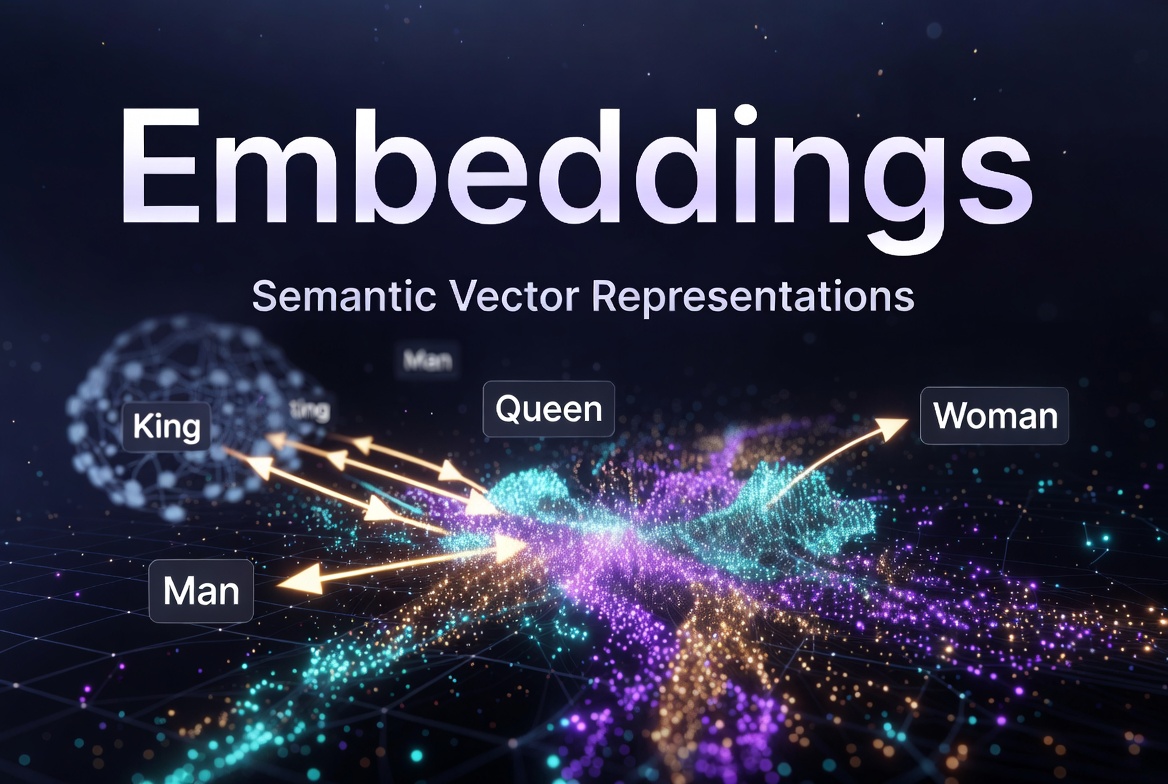
Embeddings are dense vector representations of text (or other data) in a high-dimensional space where semantic similarity is captured by vector proximity. Two sentences with similar meanings will have vectors pointing in nearly the same direction, while unrelated sentences will be far apart in that space , regardless of whether they share any keywords.
This is a fundamental shift from traditional text matching. Classic search engines look for exact or near-exact word overlap. Embeddings capture meaning : the sentence "the car broke down on the highway" and "my vehicle stopped working on the motorway" are textually different but semantically identical, and a good embedding model will place them close together.
At a technical level, an embedding is just an array of floating-point numbers, for example,
[0.023, -0.418, 0.871, ...]
with 1536 values in a 1536 dimensional space. Each dimension encodes some latent feature of the input. You rarely interpret individual dimensions directly; what matters is the geometric relationships between vectors.
Embeddings are the foundation of modern RAG systems because they allow you to retrieve semantically relevant documents for any query , not just documents that happen to share the same words. They also underpin semantic search, recommendation systems, clustering, anomaly detection, and classification tasks.
Semantic Vector Representations
- Sparse vectors (e.g., TF-IDF, BM25): High-dimensional, mostly zeros, keyword-based.
- Dense embeddings: Low-to-medium dimensional (256–3072), floating-point numbers, capture meaning.
How Embeddings Work
- Input text → Tokenizer → Transformer model (or other architecture)
- Model outputs a fixed-size vector (e.g., 1536 dimensions)
- Vectors are stored in a vector database with metadata
- At query time: embed query → nearest-neighbor search (ANN)
Step 1: Tokenization
The input text is first split into tokens, roughly word-level or sub-word pieces, and each token is mapped to an integer ID from the model's vocabulary. For example,
"LangGraph is powerful"
tokenizes into
["Lang", "Graph", "is", "powerful"]
with the IDs
[30741, 9922, 382, 11629]
, exactly 4 tokens.
Now consider a small change: add two extra spaces (one between
"LangGraph"
and
"is"
, one between
"is"
and
"powerful"
) and append a full stop. The token count jumps from 4 to 7, with the IDs
[30741, 9922, 220, 382, 220, 11629, 13]
, the extra spaces and punctuation each become their own token.
This is a concrete illustration of why text cleaning matters before embedding. Whitespace noise, inconsistent punctuation, and stray characters silently inflate token counts and consume context window budget. Cleaning your text before chunking is not optional, it directly affects what fits inside a chunk and how accurately the model represents it.
(Token IDs verified using the OpenAI Tokenizer .)
Step 2: Transformer encoding
The token IDs are fed through a transformer model , typically a bidirectional encoder like BERT or a more recent architecture like E5 or Qwen3. Unlike generative LLMs that produce text, embedding models are trained to produce a single fixed-size vector that summarizes the entire input. This is usually taken from a special
[CLS]
token or via mean pooling over all token outputs.
Step 3: Vector output
The model outputs one vector per input , regardless of input length , with a fixed number of dimensions (e.g., 768, 1536, 3072). This vector is the embedding.
Step 4: Storage
Embeddings are stored in a vector database (Chroma, Pinecone, Weaviate, pgvector, etc.) alongside the original text and any metadata. The vector database builds an index that enables fast approximate nearest-neighbor (ANN) search across millions of vectors.
Step 5: Query-time retrieval
When a user asks a question, the query is embedded using the
same model
. The vector database finds the stored vectors closest to the query vector (by cosine similarity or other metrics) and returns the corresponding text chunks. These chunks are then injected into the LLM's context window as grounding knowledge.
Why "same model" matters:
If you embed documents with
text-embedding-3-small
but query with a different model, the vectors live in different geometric spaces and comparisons are meaningless. Model consistency across indexing and retrieval is non-negotiable.
Embedding Models
Choosing the right embedding model is one of the highest-leverage decisions in your RAG pipeline. The key trade-offs are quality, cost, speed, privacy, and language coverage.
Dimensions and quality: Higher-dimensional vectors generally encode more nuance, but with diminishing returns and higher storage/compute costs. Many modern models support Matryoshka Representation Learning (MRL), which means you can truncate to fewer dimensions with minimal quality loss , useful when optimizing for speed or storage.
Open-source vs. API: API models (OpenAI, Voyage) are easiest to get started with and require no GPU. Open-source models (BGE, E5, Qwen3) run locally, offer full data privacy, and are free to use , but require inference infrastructure.
Domain fit matters more than leaderboards: Public benchmarks like MTEB measure average performance across many tasks and domains. Your retrieval quality on your own data may look very different. Always evaluate candidate models on a sample of your actual queries and documents before committing.
Multilingual needs: If your documents or users are multilingual, models like Qwen3-Embedding and Jina v4 are specifically designed for cross-lingual retrieval and outperform English-focused models on non-English content.
Embedding model drift: If you switch models or update to a newer version, all previously stored embeddings become invalid , they must be recomputed. Version your embedding model as a first-class part of your system configuration and treat a model change like a schema migration.
Popular options in 2026:
|
Model
|
Provider
|
Dimensions
|
Strengths
|
Cost / Speed
|
|---|---|---|---|---|
|
text-embedding-3-small
|
OpenAI
|
1536
|
Excellent quality, easy API
|
Low cost, fast
|
|
text-embedding-3-large
|
OpenAI
|
3072
|
Highest quality from OpenAI
|
Higher cost
|
|
voyage-3-large
|
Voyage AI
|
1024/2048
|
Top retrieval performance
|
Competitive
|
|
BGE / E5 / Stella
|
Hugging Face
|
768–1024
|
Strong open-source, privacy
|
Free (local)
|
|
Qwen3-Embedding / Jina v4
|
Various
|
Flexible
|
Multilingual, lightweight
|
Excellent open models
|
OpenAI Embeddings
from langchain_openai import OpenAIEmbeddings

embeddings = OpenAIEmbeddings(
    model="text-embedding-3-small",   # or "text-embedding-3-large"
    # dimensions=1024,                # optional reduction (Matryoshka)
    openai_api_key="..."
)

vector = embeddings.embed_query("What is LangGraph?")
print(len(vector))  # 1536
Local Embedding Models
from langchain_huggingface import HuggingFaceEmbeddings

embeddings = HuggingFaceEmbeddings(
    model_name="BAAI/bge-large-en-v1.5",   # strong performer
    # model_name="intfloat/e5-mistral-7b-instruct",
    # model_name="Qwen/Qwen3-Embedding-0.6B",
    model_kwargs={"device": "cuda" if torch.cuda.is_available() else "cpu"},
    encode_kwargs={"normalize_embeddings": True}   # important for cosine similarity
)

# Batch embedding
texts = ["Document one...", "Document two..."]
vectors = embeddings.embed_documents(texts)
Practical Embedding: Model Selection and Chunking Strategy
Local vs. API Embedding Models: Which to Choose
The honest answer is: it depends on where you are in the project lifecycle and what your constraints are. Neither approach is universally better.
Models worth running locally
Not all open-source embedding models are worth the operational overhead of self-hosting. These are the ones that justify it:
| Model | Dims | Max tokens | Size | Best for |
|---|---|---|---|---|
BAAI/bge-large-en-v1.5
|
1024 | 512 | 1.3GB | English, strong baseline |
BAAI/bge-m3
|
1024 | 8192 | 2.3GB | Multilingual, long context |
BAAI/bge-small-en-v1.5
|
384 | 512 | 130MB | CPU prototyping, fast |
intfloat/e5-large-v2
|
1024 | 512 | 1.3GB | English, competitive quality |
Qwen/Qwen3-Embedding-0.6B
|
1024 | 32768 | 1.2GB | Multilingual, long context, modern |
jinaai/jina-embeddings-v3
|
1024 | 8192 | 570MB | Multilingual, efficient |
nomic-ai/nomic-embed-text-v1.5
|
768 | 8192 | 270MB | MRL support, long context, light |
BGE-M3 and Qwen3-Embedding are the most compelling local options right now. BGE-M3 supports 100+ languages and an 8192 token window, making it competitive with paid APIs on most benchmarks. Qwen3-Embedding-0.6B is remarkably capable for its size — 1.2GB, 32k token window, multilingual — and runs acceptably on CPU for moderate workloads.
Nomic Embed is worth knowing about specifically because it supports MRL (you can truncate to 256 or 512 dims), is only 270MB, and has a generous 8192 token window. It is an excellent choice when you need something lightweight that punches above its weight class.
When local models make sense
- Data privacy is non-negotiable. Your documents never leave your machine or infrastructure. For legal, medical, financial, or proprietary codebases, this is often a hard requirement — not a preference.
- High volume at low cost. If you are embedding millions of chunks, API costs compound quickly. At OpenAI's pricing, 10 million chunks of ~500 tokens each costs roughly $20–50 depending on the model. Self-hosted is effectively free after infrastructure.
- Offline or air-gapped environments. Government, defence, and regulated industries often prohibit external API calls entirely. Local models are the only option.
- Latency control. You are not subject to API rate limits, network latency, or third-party downtime. Useful in real-time applications where p99 latency matters.
- Experimentation and development. No API key, no quota, no cost per call. Iterate freely.
When paid API models make sense
- You are in early development or prototyping. Two lines of code, no infrastructure, no model management. OpenAI embeddings are the fastest path from zero to a working RAG pipeline.
-
Quality is the top priority and volume is moderate.
text-embedding-3-large(3072 dims) still leads most benchmarks for English retrieval quality. If your corpus is a few hundred thousand chunks, the API cost is modest and the quality advantage may be meaningful. - Your team has no ML infrastructure experience. Running local models well in production requires model serving (Triton, TorchServe, or a simple FastAPI wrapper), hardware provisioning, monitoring, and update management. This is real operational work. If your team's strength is product engineering rather than MLOps, the API eliminates an entire layer of complexity.
- You need guaranteed uptime SLAs. OpenAI and Voyage AI offer reliability guarantees and global infrastructure. A self-hosted model is only as reliable as the machine it runs on.
The hybrid approach (recommended for most teams)
Use local models during development and switch to API models in production — or the reverse. Because LangChain abstracts the embedding interface, swapping models requires changing one line:
# development — free, local, no quota
embeddings = HuggingFaceEmbeddings(
    model_name="BAAI/bge-small-en-v1.5",
    model_kwargs={"device": "cpu"},
    encode_kwargs={"normalize_embeddings": True}
)

# production — switch to API with one line change
from langchain_openai import OpenAIEmbeddings
embeddings = OpenAIEmbeddings(model="text-embedding-3-small")
The critical rule: use the same model for both indexing and querying within any given environment. Never index with one model and query with another — the vectors are incompatible.
A common real-world pattern is:
-
Development:
bge-small-en-v1.5locally — fast, free, good enough to test the pipeline -
Staging:
bge-large-en-v1.5orBGE-M3in Docker — production-equivalent quality, no API cost -
Production:
evaluate both
text-embedding-3-smallandBGE-M3on your actual data, then pick based on quality benchmarks and cost projections at your expected volume
Do you have strict data privacy requirements?
  └── Yes → local model, no exception

Are you prototyping or in early development?
  └── Yes → OpenAI API, get moving fast

Will you embed > 5 million chunks per month?
  └── Yes → local model, the cost math favours it

Do you need multilingual or 8k+ token windows on a budget?
  └── Yes → BGE-M3 or Qwen3-Embedding locally

Is your team small with no MLOps experience?
  └── Yes → start with API, revisit when volume grows
The bottom line:
for learning and building your first production RAG system, start with
text-embedding-3-small
via the OpenAI API — it removes all infrastructure friction. Once your pipeline is proven and your volume or privacy requirements justify it, migrate to
BGE-M3
or
Qwen3-Embedding
self-hosted. The LangChain abstraction makes that migration straightforward.
Token window size and why it matters
Every embedding model has a maximum input length , its token window , and this is one of the first things to check before you decide on your chunk size. If a chunk exceeds the model's window, the text is silently truncated at that boundary. The embedding is computed only on the portion that fits, and the rest is simply discarded without any warning. This is a silent failure: your pipeline runs, no error is thrown, but chunks longer than the window are partially unrepresented.
Token window sizes vary significantly across models:
| Model | Max tokens |
|---|---|
| text-embedding-3-small / large | 8191 |
| voyage-3-large | 32000 |
| BGE-large-en-v1.5 | 512 |
| E5-mistral-7b-instruct | 4096 |
| Qwen3-Embedding | 32768 |
| Jina v4 | 131072 |
Notice that
BGE-large-en-v1.5
, a popular and high-quality local model , has a window of only 512 tokens. If you chunk at 800 tokens with this model, every chunk over 512 tokens gets silently truncated. This is a common and costly mistake.
You can retrieve the token window programmatically rather than relying on documentation:
from transformers import AutoTokenizer

model_name = "BAAI/bge-large-en-v1.5"
tokenizer = AutoTokenizer.from_pretrained(model_name)
print(tokenizer.model_max_length)  # 512
For OpenAI models, the limit is documented in the API but you can also encode and count directly:.
import tiktoken

encoder = tiktoken.encoding_for_model("text-embedding-3-small")

def count_tokens(text: str) -> int:
    return len(encoder.encode(text))

def fits_in_window(text: str, max_tokens: int = 8191) -> bool:
    return count_tokens(text) <= max_tokens
A simple rule: set your chunk size to no more than 80% of the model's token window. This leaves room for the chunk overlap tokens and any metadata you prepend to chunks (e.g. document title or section header), which many retrieval patterns recommend.
Parent-child chunking
Standard chunking embeds and retrieves the same chunk that gets fed to the LLM. Parent-child chunking separates these two concerns: you embed small chunks for precise retrieval, but feed larger chunks to the LLM for richer context.
The intuition is straightforward. Small chunks (100–200 tokens) produce focused, specific embeddings , a tight vector that represents one idea clearly. Large chunks (500–1000 tokens) provide the surrounding context that an LLM needs to answer well. If you embed large chunks, the vector blurs across too many ideas and retrieval precision drops. If you feed small chunks to the LLM, it lacks the context to reason properly.
The architecture works like this:
- Child chunks are small, overlapping slices of the document. These are what you embed and store in your vector database.
-
Parent chunks
are the larger surrounding passages. These are stored in a regular key-value store or document store (not a vector database), indexed by a
parent_idthat each child chunk carries as metadata. -
At query time, the vector search finds the most relevant child chunks. You then look up their
parent_idand retrieve the full parent chunk from the document store. The parent chunk , not the child , is what gets injected into the LLM's context window.
from langchain.retrievers import ParentDocumentRetriever
from langchain.storage import InMemoryStore
from langchain_text_splitters import RecursiveCharacterTextSplitter
from langchain_chroma import Chroma

parent_splitter = RecursiveCharacterTextSplitter(chunk_size=800)
child_splitter = RecursiveCharacterTextSplitter(chunk_size=200)

vectorstore = Chroma(embedding_function=embeddings)
docstore = InMemoryStore()  # regular key-value store for parent chunks

retriever = ParentDocumentRetriever(
    vectorstore=vectorstore,    # stores child embeddings
    docstore=docstore,          # stores parent chunks
    child_splitter=child_splitter,
    parent_splitter=parent_splitter,
)

retriever.add_documents(docs)

# at query time: vector search finds child, retriever returns parent
results = retriever.invoke("What is LangGraph?")
The key insight is that the vector database and the document store serve different purposes and are never mixed. The vector database answers "which passage is most relevant?" The document store answers "give me the full context around that passage." The LLM only ever sees the parent.
This pattern is particularly effective for structured documents , technical documentation, legal texts, research papers , where a precise fact lives in one sentence but only makes sense in the context of the surrounding paragraph or section.
Text Similarity Concepts
- Cosine Similarity: Most common for embeddings (angle between vectors)
- Euclidean / L2 Distance: Used by some vector stores
- Dot Product: Fast when vectors are normalized
Once you have embeddings, you need a way to measure how similar two vectors are. The three main options each have different mathematical properties and use cases.
Cosine Similarity
Measures the angle between two vectors, ignoring their magnitude. This is the most common choice for text embeddings because it focuses on
direction
(semantic orientation) rather than length. Two normalized vectors with cosine similarity of 1.0 are identical; 0.0 are orthogonal (unrelated); -1.0 are opposite. Most embedding models are explicitly trained to optimize cosine similarity.
import numpy as np
from sklearn.metrics.pairwise import cosine_similarity

sim = cosine_similarity([vec1], [vec2])[0][0]
Euclidean (L2) Distance
Measures the straight-line distance between two points in vector space. Lower = more similar. Unlike cosine, it is sensitive to vector magnitude, so it requires normalized embeddings to behave predictably. Some vector databases default to L2 , check your database's default metric and ensure it matches how your model was trained.
Dot Product
The raw inner product of two vectors. When vectors are L2-normalized (unit length), the dot product is mathematically equivalent to cosine similarity, so it becomes the fastest option , no normalization step at query time. This is why many embedding guides recommend normalizing embeddings: you get cosine semantics at dot-product speed.
Practical guidance:
Use cosine similarity unless your vector database or model documentation recommends otherwise. Always normalize your embeddings (
normalize_embeddings=True
in LangChain's HuggingFace wrapper) , it costs nothing and makes similarity scores more interpretable and consistent across different models and stores.
Embedding Dimensions
The dimensionality of an embedding vector is one of the most practical configuration decisions you make when setting up a RAG pipeline, and it affects four things simultaneously: retrieval quality, storage cost, search latency, and memory usage.
What dimensions actually encode
Each dimension in an embedding vector corresponds to a learned latent feature of the input. The model never explicitly assigns meaning to individual dimensions , they emerge from training. Higher dimensionality gives the model more "room" to encode subtle distinctions: topic, tone, domain, syntactic structure, named entities, and so on. Lower dimensionality forces compression, which loses fine-grained distinctions but retains the dominant semantic signal.
How dimensionality affects your system
- Retrieval quality: Higher dimensions generally improve recall and precision, particularly for nuanced or ambiguous queries. The gains are significant going from 256 to 768, moderate from 768 to 1536, and marginal beyond that for most use cases.
- Storage: Each dimension is a 32-bit float (4 bytes). A single 1536-dimensional embedding takes ~6KB. At one million chunks, that is ~6GB just for vectors , before metadata or indexes. Halving dimensions halves storage.
- Search latency: Approximate nearest-neighbor (ANN) search scales with dimensionality. At small corpus sizes (under 100k chunks) the difference is negligible. At tens of millions of vectors, lower dimensions meaningfully reduce query time.
- Memory: Vector indexes are loaded into RAM during search. Lower dimensions keep your index smaller and cheaper to serve.
How to choose
Start by asking what your bottleneck is , quality, cost, or latency , because the right answer differs:
-
For most production RAG systems, 1536 dimensions (
text-embedding-3-smalldefault) is a strong baseline. It delivers high quality at reasonable cost and is well-supported across all major vector databases. - If you are optimizing for cost or speed and your queries are relatively straightforward, 512–768 dimensions is usually sufficient. With MRL-capable models, truncating to 512 carries only a small quality penalty.
-
If your documents are highly specialized, long, or involve subtle semantic distinctions (legal reasoning, scientific literature, code), 3072 dimensions (
text-embedding-3-large) may improve recall meaningfully enough to justify the cost. - For local open-source models, most strong performers (BGE-large, E5-large) output 768–1024 dimensions by default, which is a practical sweet spot for most use cases without any tuning.
A practical approach
Benchmark on your own data before committing. Embed 500–1000 representative chunks at two or three dimension settings, run your evaluation query set, and compare retrieval metrics. In most cases you will find that 512 and 1536 perform similarly on broad factual queries, but 1536 pulls ahead on nuanced or domain-specific ones. Let your evaluation , not the spec sheet , make the final call.
One hard rule: whatever dimension you choose at indexing time is fixed for the lifetime of that vector store. Changing dimensions means recomputing and re-indexing every embedding from scratch. Decide before you go to production.
Matryoshka Representation Learning (MRL)
Traditional embedding models produce a fixed-size vector where all dimensions are equally important and inseparable , you get the full 1536 or 3072 dimensions, or nothing. MRL changes this by training the model so that the first N dimensions already form a complete, useful embedding on their own. The name comes from Russian nesting dolls: a 3072-dimensional MRL vector contains a valid 1536-dimensional embedding inside it, which in turn contains a valid 512-dimensional one, and so on.
In practice this means you can truncate the vector at inference time to trade quality for speed and storage, without retraining or re-indexing. A 512-dimensional truncation of
text-embedding-3-small
uses one-third the storage and runs vector search roughly three times faster, with only a small drop in retrieval quality. OpenAI's v3 embedding models and several open-source models (including Nomic Embed and some BGE variants) support MRL natively via a
dimensions
parameter.
embeddings = OpenAIEmbeddings(model="text-embedding-3-small", dimensions=512)Chunking Before Embedding
from langchain_text_splitters import RecursiveCharacterTextSplitter
from langchain_community.document_loaders import PyPDFDirectoryLoader

loader = PyPDFDirectoryLoader("docs/")
docs = loader.load()

splitter = RecursiveCharacterTextSplitter(
    chunk_size=800,          # tokens ~ characters for English
    chunk_overlap=150,
    separators=["\n\n", "\n", ".", " ", ""]
)

chunks = splitter.split_documents(docs)
print(len(chunks))from langchain_experimental.text_splitter import SemanticChunker
semantic_splitter = SemanticChunker(
embeddings, # any embeddings model
breakpoint_threshold_type="percentile", # or "standard_deviation"
breakpoint_threshold_amount=85
)
chunks = semantic_splitter.split_documents(docs)Embedding Large Documents Best practices:
- Split into meaningful chunks (400–1000 tokens)
- Add contextual metadata (document title, section, page)
- Use hierarchical indexing (summary + detailed chunks)
- Consider parent-document retriever in LangChain
Embedding Quality Considerations
-
The raw capability of your embedding model is only part of the story. Several factors in how you apply it determine real-world retrieval quality.
Domain adaptation: General-purpose embedding models are trained on broad web data. If your documents are highly specialized , legal contracts, medical records, financial filings, proprietary codebases , retrieval quality may suffer because the model has never seen the vocabulary or reasoning patterns in that domain. Solutions include: using a domain-specific model (e.g., legal or biomedical variants of BGE), fine-tuning an open model on your document corpus, or augmenting chunks with domain-specific metadata that improves matching.
Multilingual and cross-lingual support: If users query in one language but documents are in another, a multilingual model is essential. Models like Qwen3-Embedding and Jina v4 are trained on dozens of languages and support cross-lingual retrieval natively. English-only models will fail silently in multilingual scenarios , the embeddings exist but carry little semantic signal across languages.
Length normalization: Embedding models have a maximum input length (typically 512–8192 tokens). Text that exceeds this limit is truncated, often silently. A long document chunk that gets truncated may lose its most important content. Always verify that your chunk sizes are well within the model's context window, and prefer models with longer context limits when working with large documents.
Batch size tuning: Embedding a document corpus one chunk at a time is extremely slow. All embedding APIs and local models support batching , processing dozens or hundreds of texts per call. The optimal batch size depends on memory and network constraints, but batching is always faster. In LangChain,
embed_documents()accepts a list and handles batching internally.Caching during development: Embedding large corpora repeatedly during development is expensive and slow. Cache embeddings to disk (using a simple key-value store, or LangChain's
CacheBackedEmbeddings) so you only recompute when your documents or chunking strategy changes.Retrieval evaluation: Don't assume your embeddings are working well , measure it. Tools like RAGAS let you evaluate retrieval quality with metrics such as context recall, context precision, and answer faithfulness. Build a small golden evaluation set (query + expected retrieved chunks) early in development and run it regularly as you iterate on your pipeline.
Updating and Rebuilding Embeddings
# Incremental update
new_chunks = splitter.split_documents(new_docs)
vectorstore.add_documents(new_chunks)

# Full rebuild (when changing model or chunking strategy)
vectorstore = Chroma.from_documents(
    documents=all_chunks,
    embedding=embeddings,
    collection_name="my_knowledge_base_v2",
    persist_directory="./chroma_db"
)
Common Embedding Mistakes
-
Using fixed-size chunking without overlap
If you split documents into fixed chunks with no overlap, a key sentence that falls on a chunk boundary gets split across two chunks , neither of which contains the full context. Always use a meaningful overlap (10–20% of chunk size) so boundary content appears in both adjacent chunks.Wrong distance metric
Using Euclidean distance on non-normalized embeddings, or dot product when vectors have varying magnitudes, produces unreliable similarity rankings. Match the metric to how your model was trained. When in doubt, normalize vectors and use cosine similarity , it's robust across models and stores.Not normalizing embeddings
Many open-source models output raw vectors whose magnitude varies by input. Without normalization, a long document may appear "more similar" to a query simply because its vector is larger, not because its content is more relevant. Setnormalize_embeddings=Truein HuggingFace loaders and verify normalization behavior in other frameworks.Embedding entire documents instead of chunks
A single embedding for a 50-page PDF compresses vastly too much information into one vector. The resulting vector is an average of all the document's topics, and it will retrieve poorly for any specific query. Always chunk before embedding.Ignoring metadata filtering
Vector search alone returns the closest vectors globally, which may include irrelevant documents from the wrong time period, category, or source. Add structured metadata (date, category, source, language) to each chunk and use hybrid filtering , vector similarity plus metadata constraints , to improve precision dramatically.Using outdated models
text-embedding-ada-002was the standard in 2022 but has been surpassed significantly bytext-embedding-3-smallandtext-embedding-3-large, which are cheaper, better, and support dimension reduction. Similarly, older open-source models from 2022–2023 have been eclipsed by Qwen3-Embedding, BGE-M3, and Jina v4. Regularly check the MTEB leaderboard and re-evaluate your model choice when major new releases appear.No evaluation of retrieval quality
Many teams ship RAG systems and only evaluate the final LLM output quality. But if retrieval is poor, the LLM can't compensate , it simply hallucinates when the right context isn't present. Use RAGAS or build custom evaluation scripts that directly measure whether the correct chunks are being retrieved for your test queries.Storing raw, noisy text without preprocessing
HTML tags, header/footer boilerplate, page numbers, watermarks, repeated navigation text, and OCR artifacts all pollute embeddings. Clean your text before chunking: strip markup, deduplicate repeated content, normalize whitespace, and remove content that adds noise but no signal.
Best Practices for Embeddings
-
1. Start with
text-embedding-3-smallorbge-large-en-v1.5
These are the best starting points for API and local workflows respectively. Both are well-supported, well-documented, and outperform older defaults. Only move to larger or more specialized models once you've measured that quality is insufficient for your use case.2. Always use chunk overlap (10–20%)
An overlap of 100–200 tokens ensures that sentences spanning chunk boundaries appear in full in at least one chunk. This is one of the simplest and most impactful improvements you can make to retrieval quality.3. Prefer semantic or recursive splitting over fixed-size splitting
Recursive character splitting respects natural document structure (paragraphs, sentences) before falling back to character splitting. Semantic chunking goes further by grouping sentences with similar embedding vectors , producing chunks that are topically coherent rather than just size-constrained. Use recursive splitting as your baseline and semantic chunking when retrieval quality needs improvement.4. Add rich metadata to every chunk
At minimum: source document name, page or section number, creation date, and document category. Richer metadata enables hybrid filtering that dramatically improves precision , especially in multi-tenant or multi-domain knowledge bases.5. Use hybrid search (vector + BM25/keyword)
Pure vector search can miss exact matches for product names, identifiers, acronyms, and rare terms that didn't appear in training data. BM25 keyword search handles these well. Combining both with a reciprocal rank fusion (RRF) reranker consistently outperforms either approach alone. LangChain, Weaviate, Elasticsearch, and pgvector all support hybrid search natively.6. Normalize embeddings for cosine similarity
Make normalization a default in your embedding wrapper. It ensures scores are interpretable (always in [-1, 1]), consistent across models, and compatible with dot-product-optimized vector stores.7. Monitor retrieval metrics continuously
Set up a retrieval evaluation suite early , even 20–30 golden (query, expected chunk) pairs is enough to catch regressions. Run it in CI whenever you change chunking strategy, embedding model, or document preprocessing. Retrieval quality can silently degrade when you change seemingly unrelated parts of the pipeline.8. Version your embedding model and chunking strategy together
Treat them as a paired configuration unit. If either changes, all stored embeddings must be recomputed. Store the model name, version, chunk size, overlap, and preprocessing steps as metadata alongside your vector index so you always know what produced it.9. Cache embeddings aggressively during development
UseCacheBackedEmbeddingsin LangChain or write your own cache layer. Recomputing embeddings on every development iteration wastes time and API quota. Invalidate the cache only when your model or preprocessing pipeline changes.10. Test multiple models on your own data , never trust public leaderboards blindly
MTEB scores are averages across many generic tasks. Your documents and queries have their own distribution. A model that ranks third on MTEB might outperform the top-ranked model on your specific domain. Benchmark at least 2–3 candidate models on 50–100 representative queries before making a final choice.
Pro Tip – Flexible Embedding Wrapper
class FlexibleEmbeddings:
    def __init__(self, model_name: str = "text-embedding-3-small"):
        if "text-embedding" in model_name:
            self.embeddings = OpenAIEmbeddings(model=model_name)
        else:
            self.embeddings = HuggingFaceEmbeddings(model_name=model_name)

    def embed_documents(self, texts):
        return self.embeddings.embed_documents(texts)

    def embed_query(self, text):
        return self.embeddings.embed_query(text)

# Easy switching
embeddings = FlexibleEmbeddings("BAAI/bge-large-en-v1.5")AI agent LangGraph Python RAG