AI Agents LangGraph
Cycles and Self-Loops in LangGraph
Intermediate
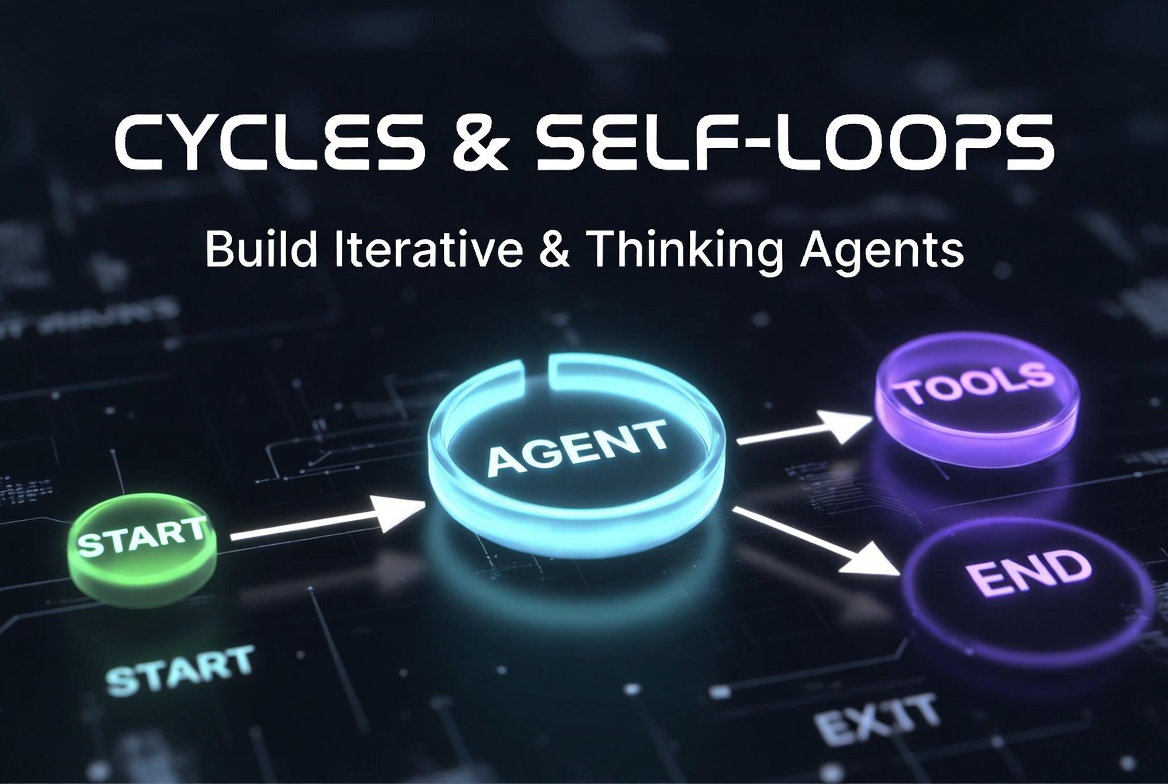
In this topic, we explore cycles and self-loops in LangGraph and understand how they enable iterative, adaptive, and autonomous AI workflows. We discuss the difference between cycles and DAGs (Directed Acyclic Graphs), explain how cyclic execution works in LangGraph, and examine how loops can be created using both
add_edge()
and
add_conditional_edges()
.
We also cover self-loops, execution flow across repeated iterations, and how state changes throughout cyclic workflows. In addition, we explore common loop patterns used in modern AI agents, including ReAct loops, retry systems, reflection/self-correction workflows, multi-agent feedback cycles, and human-in-the-loop interactions.
The topic further explains fixed vs dynamic loops, conditional loop termination, iteration limits, recursion safety, and state-driven loop control using the
Command
object and routing logic. We also discuss advanced concepts such as nested cycles, subgraphs, multi-agent cyclic architectures, and parallel cyclic execution.
Finally, we review debugging techniques, visualization strategies, performance considerations, common mistakes such as infinite loops and missing END conditions, and best practices for building safe, maintainable, and efficient cyclic workflows in LangGraph.
Cycles and Self-Loops in LangGraph
What Are Cycles?
START → Agent → Tools → Agent → Tools → Agent → END
           ↑_______________________|
(Cycle)What Is a Self-Loop?
graph.add_conditional_edges(
    "agent",
    lambda state: "agent" if continue_reasoning(state) else "END"
)- Repeated reflection / self-critique
- Continuous monitoring
- Polling-style operations
Why Cycles Matter in AI Agents
- Multi-step reasoning: The agent can think, act, observe results, and think again.
- Tool usage loops: Keep calling tools until the task is solved (ReAct pattern).
- Self-improvement: Generate → Critique → Improve → Repeat.
- Adaptive behavior: Change strategy based on intermediate results.
- Persistent problem solving: Continue working until success criteria are met.
With cycles → We get powerful, agentic systems that can handle complex, open-ended tasks.
Cycles vs DAGs (Directed Acyclic Graphs)
| Aspect | DAG (No Cycles) | Graph with Cycles |
|---|---|---|
| Flow | Linear or branching only | Can loop back |
| Execution | Runs once per node | Nodes can execute multiple times |
| Use Case | Simple pipelines, ETL jobs | AI agents, reasoning loops |
| Complexity | Easier to reason about | More powerful but requires safety controls |
| Termination | Guaranteed to end | Must manually ensure termination |
| LangGraph Support | Fully supported | Fully supported (one of LangGraph’s most powerful features) |
Traditional LangChain chains are DAGs.
LangGraph shines because it supports cyclic graphs , which are necessary for building real AI agents.
How Cycles Work in LangGraph
- Node A runs
- Edge (usually conditional) decides to go back to Node A
- Node A receives the updated state (including previous outputs)
- Node A runs again with fresh information
- The loop continues until a stopping condition is met
Creating Cycles with add_edge()
add_edge()
. This is less common but useful for fixed repeating patterns.
from langgraph.graph import StateGraph, START, END

graph = StateGraph(MessagesState)

graph.add_node("agent", agent_node)
graph.add_node("tools", tool_node)

graph.add_edge(START, "agent")

# Fixed cycle
graph.add_edge("agent", "tools")
graph.add_edge("tools", "agent")   # ← Creates the cycle

# You still need a way to exit the cycle
graph.add_conditional_edges(
    "agent",
    lambda state: "END" if task_complete(state) else "tools"
)
add_edge()
with
add_conditional_edges()
.
Creating Cycles with add_conditional_edges() (Recommended)
def route_after_agent(state: MessagesState) -> str:
    last_message = state["messages"][-1]

    # Stopping condition
    if last_message.tool_calls is None and "final answer" in last_message.content.lower():
        return "END"

    # Continue the cycle
    if last_message.tool_calls:
        return "tools"
    else:
        return "agent"          # ← Loop back to agent


graph = StateGraph(MessagesState)

graph.add_node("agent", agent_node)
graph.add_node("tools", tool_node)

graph.add_edge(START, "agent")

# Conditional routing that creates the cycle
graph.add_conditional_edges(
    "agent",
    route_after_agent,
    {
        "tools": "tools",
        "agent": "agent",      # Self-referential cycle
        "END": END
    }
)

graph.add_edge("tools", "agent")   # Tools always return to agent
This is the classic ReAct loop pattern.
Self-Loops in LangGraph
def self_loop_router(state: MessagesState) -> str:
    """Agent reflects on its own output and improves it."""
    last_message = state["messages"][-1]

    if needs_improvement(state):
        return "agent"           # ← Self-loop
    else:
        return "END"


graph.add_node("agent", agent_node)

graph.add_conditional_edges(
    "agent",
    self_loop_router,
    {
        "agent": "agent",   # Self-loop
        "END": END
    }
)- Repeated self-critique / reflection
- Iterative refinement (e.g., keep improving an answer)
- Continuous monitoring or polling
from langgraph.types import Command

def agent_node(state):
    response = llm.invoke(...)

    # decide destination first, then return once
    next_node = "agent" if needs_improvement(state) else END

    return Command(
        update={"messages": [response]},
        goto=next_node
    )
Execution Flow in Cyclic Graphs
- Start; Graph begins at START and moves to the first node.
- Node Execution; A node (e.g., agent) receives the current state and runs.
- State Update; The node returns updates which are merged into the state.
- Edge Evaluation; LangGraph checks the outgoing edges (usually conditional).
-
Routing Decision:
- If the router returns a previous node → Cycle continues
- If the router returns END → Execution stops
- Repeat; The graph goes back to step 2 with the updated state.
START
  ↓
Agent (Iteration 1) → decides tool call
  ↓
Tools → returns result
  ↓
Agent (Iteration 2) → decides tool call
  ↓
Tools → returns result
  ↓
Agent (Iteration 3) → decides "final answer"
  ↓
END
Each time the agent node runs, it has access to all previous interactions thanks to state persistence.
State Updates Across Iterations
from langgraph.graph.message import add_messages
from typing import Annotated

class AgentState(TypedDict):
    messages: Annotated[list, add_messages]   # Accumulates history
    iterations: int
    final_answer: str | None

def agent_node(state: AgentState):
    # The agent sees ALL previous messages
    response = llm_with_tools.invoke(state["messages"])

    return {
        "messages": [response],                    # Append new message
        "iterations": state.get("iterations", 0) + 1   # Update counter
    }

def tools_node(state: AgentState):
    tool_results = execute_tools(state["messages"][-1].tool_calls)

    return {
        "messages": [AIMessage(content=tool_results)]  # Add tool output
}- Each iteration receives the full accumulated state from all previous iterations.
- Reducers (like add_messages) automatically handle appending data.
- You can track progress using custom fields (iterations, confidence, error_count, etc.).
def route_after_agent(state: AgentState):
    if state.get("iterations", 0) >= 15:
        return "END"                           # Safety stop

    last_message = state["messages"][-1]

    if last_message.tool_calls:
        return "tools"
    else:
return "END"Proper state design is critical in cyclic graphs. Poorly designed state can lead to:
- Very large message histories (use summarisation)
- Lost context between iterations
- Infinite loops
Common Loop Patterns in LangGraph
1. ReAct Loop (Reason + Act)
def route_react(state: MessagesState):
    last_message = state["messages"][-1]

    if last_message.tool_calls:
        return "tools"
    else:
        return "END"


graph.add_edge(START, "agent")
graph.add_conditional_edges("agent", route_react, {
    "tools": "tools",
    END: END
})
graph.add_edge("tools", "agent")   # Loop back
Agent → Tools → Agent → Tools → ... → END
2. Retry Loop
def retry_router(state: MessagesState):
    attempts = state.get("attempts", 0)

    if attempts >= 4:
        return "fallback"
    if is_error(state) or confidence_low(state):
        return "agent"          # Retry
    return "END"


graph.add_node("agent", agent_node)
graph.add_conditional_edges("validator", retry_router)

# Update attempts counter in agent or validator node
return {"attempts": state.get("attempts", 0) + 1}
3. Reflection / Self-Correction Loop
The agent critiques its own output and improves it iteratively.
def reflection_router(state: MessagesState):
    critique = critique_llm.invoke(state["messages"])

    if "good" in critique.content.lower() or "excellent" in critique.content.lower():
        return "END"
    else:
        return "agent"   # Self-loop / cycle back for improvement
Flow:
Generate → Critique → (Improve → Generate) → END
4. Tool Retry Pattern
Specifically retries failed tool calls (network issues, rate limits, invalid input, etc.).
def tool_retry_router(state: MessagesState):
    last_message = state["messages"][-1]

    if last_message.tool_calls and is_tool_error(state):
        return "tools"           # Retry same tool
    elif last_message.tool_calls:
        return "agent"           # Back to agent for new plan
    else:
        return "END"
5. Multi-Agent Feedback Loop
def supervisor_router(state: MessagesState):
    last_message = state["messages"][-1]

    if "research_complete" in state:
        return "critic_agent"
    elif "critique_done" in state:
        return "writer_agent"
    else:
        return "research_agent"


graph.add_conditional_edges("supervisor", supervisor_router)

# Cycle: Research Agent → Critic → Writer → Supervisor
graph.add_edge("research_agent", "supervisor")
graph.add_edge("critic_agent", "supervisor")
graph.add_edge("writer_agent", "supervisor")
6. Human-in-the-Loop Cycle
def human_router(state: MessagesState):
    if needs_human_approval(state):
        return "human_review"
    return "END"


graph.add_conditional_edges("agent", human_router)

# Compile with interrupt
app = graph.compile(
    checkpointer=MemorySaver(),
    interrupt_before=["human_review"]
)

# After human provides feedback:
app.invoke({"messages": [HumanMessage(content="Approved. Continue.")]}, config)
Fixed Loops vs Dynamic Loops
Fixed Loops
add_edge()
and always follows the same sequence.
# Fixed loop example
graph.add_edge("agent", "tools")
graph.add_edge("tools", "agent")   # Always loops the same way
Dynamic Loops
def dynamic_router(state: MessagesState):
    if task_is_complete(state):
        return "END"
    elif should_use_tool(state):
        return "tools"
    else:
        return "agent"   # Continue loop dynamically

graph.add_conditional_edges("agent", dynamic_router)
graph.add_edge("tools", "agent")Use Dynamic Loops in almost all real-world agents because they are more intelligent and adaptable.
Conditional Loop Termination
def termination_router(state: MessagesState) -> str:
    last_message = state["messages"][-1]
    iterations = state.get("iterations", 0)

    # Multiple ways to terminate
    if iterations >= 12:
        return "END"
    elif "final answer" in last_message.content.lower():
        return "END"
    elif last_message.tool_calls:
        return "tools"
    else:
        return "agent"


graph.add_conditional_edges("agent", termination_router)- Task successfully completed
- Confidence score above threshold
- Maximum iterations reached
- LLM explicitly says “final answer”
- Human approval received
Returning
END
from Cycles
"END"
from a router or node.
# Option 1: From router function
def router(state):
    if task_complete(state):
        return "END"                    # ← Exit cycle
    return "agent"

# Option 2: Using Command (cleaner)
from langgraph.types import Command

def agent_node(state):
    response = llm_with_tools.invoke(state["messages"])

    if is_final_answer(response):
        return Command(update={"messages": [response]}, goto=END)
    else:
        return Command(update={"messages": [response]}, goto="tools")
Important:
Always map
"END"
in your
path_map
when using
add_conditional_edges()
.
Loop Counters and Iteration Limits
Tracking how many times a loop has run is one of the most important safety mechanisms in LangGraph.
class AgentState(TypedDict):
    messages: Annotated[list, add_messages]
    iterations: int = 0                     # Track loop count

def agent_node(state: AgentState):
    return {
        "messages": [llm_with_tools.invoke(state["messages"])],
        "iterations": state.get("iterations", 0) + 1
    }

def router(state: AgentState):
    if state.get("iterations", 0) >= 15:    # Safety limit
        return "END"
    if state["messages"][-1].tool_calls:
        return "tools"
    return "END"
Best Practice : Always include an iteration counter and a hard upper limit (typically 10–25 depending on the use case).
Infinite Loops and Safety Risks
- Router always returns the same node
- No termination condition
- State never changes in a way that satisfies the exit condition
- LLM keeps asking for more tools without progress
- High token usage & cost
- Timeout errors
- Stuck executions
- Poor user experience
- Always set a maximum iteration limit
- Have multiple exit conditions (success + safety)
- Monitor state changes
Maximum Recursion Limits
- Use a high but reasonable max_iterations (15–30)
- Prefer checkpointer + stream() for long-running graphs
- Use Command or Send where possible instead of deep recursion
# Safe approach
app = graph.compile(checkpointer=MemorySaver())

# Run with streaming instead of deep recursion
for chunk in app.stream(inputs, config, stream_mode="values"):
    print(chunk)
Using State to Control Loops
The state is your control center for loops. You should store control variables directly in the state.
class AgentState(TypedDict):
    messages: Annotated[list, add_messages]
    iterations: int
    last_tool_result: str | None
    confidence: float
    status: Literal["running", "complete", "failed"]

def router(state: AgentState):
    if state["iterations"] > 12:
        return "END"
    if state.get("confidence", 0) > 0.9:
        return "END"
    if state.get("status") == "failed":
        return "fallback"
    return "tools" if needs_tool(state) else "agent"
Using
Command
for Dynamic Cycles
The modern and cleaner way to handle cycles is using the
Command
object.
from langgraph.types import Command

def agent_node(state: MessagesState):
    response = llm_with_tools.invoke(state["messages"])

    if response.tool_calls:
        return Command(
            update={"messages": [response]},
            goto="tools"
        )
    else:
        return Command(
            update={"messages": [response]},
            goto=END          # Exit cycle cleanly
        )


graph.add_node("agent", agent_node)
graph.add_edge("tools", "agent")   # Still need this for loop
Advantages of
Command
:
- Combines state update + routing in one place
- Cleaner and more readable
- Better for complex routing logic
Nested Cycles and Subgraphs
# 1. Create a reusable research subgraph with its own cycle
def create_research_subgraph():
    subgraph = StateGraph(MessagesState)
    subgraph.add_node("planner", planner_node)
    subgraph.add_node("researcher", researcher_node)

    subgraph.add_edge(START, "planner")
    subgraph.add_conditional_edges("planner", research_router)
    subgraph.add_edge("researcher", "planner")   # Inner cycle
    subgraph.add_edge("planner", END)

    return subgraph.compile()

# 2. Use it in main graph
main_graph = StateGraph(MessagesState)
research_team = create_research_subgraph()

main_graph.add_node("research_team", research_team)   # Subgraph as node
main_graph.add_node("final_answer", final_answer_node)

main_graph.add_edge(START, "research_team")
main_graph.add_edge("research_team", "final_answer")
main_graph.add_edge("final_answer", END)
Benefit: Keeps complex looping logic encapsulated and reusable.
Cycles in Multi-Agent Systems
def supervisor_router(state: MessagesState):
    last = state["messages"][-1].content.lower()

    if "research" in last:
        return "research_agent"
    elif "code" in last:
        return "coder_agent"
    elif "critique" in last:
        return "critic_agent"
    else:
        return "END"


graph.add_node("supervisor", supervisor_node)
graph.add_node("research_agent", research_agent)
graph.add_node("coder_agent", coder_agent)
graph.add_node("critic_agent", critic_agent)

graph.add_conditional_edges("supervisor", supervisor_router)

# Feedback cycles
graph.add_edge("research_agent", "supervisor")
graph.add_edge("coder_agent", "supervisor")
graph.add_edge("critic_agent", "supervisor")Parallel Cycles
Send
.
from langgraph.types import Send

def parallel_router(state):
    """Launch multiple agents in parallel and loop back"""
    return [
        Send("research_agent", state),
        Send("web_search_agent", state),
        Send("code_agent", state)
    ]

graph.add_conditional_edges("supervisor", parallel_router)

# All parallel agents return to supervisor (cycle)
graph.add_edge("research_agent", "supervisor")
graph.add_edge("web_search_agent", "supervisor")
graph.add_edge("code_agent", "supervisor") The main issue with the above code is that it doesn't have an
END
condition, so it can get stuck in an infinite loop. Based on your design and requirements, an
END
condition should be there.
Debugging Cyclic Workflows
# 1. Enable detailed logging
def agent_node(state):
    print(f"Iteration {state.get('iterations', 0)} | Messages: {len(state['messages'])}")
    ...

# 2. Use streaming
for chunk in app.stream(inputs, config, stream_mode="values"):
    print("→", chunk)

# 3. Visualize the graph
graph.get_graph().draw_mermaid_png()   # or .draw_ascii()
iterations
and
status
to your state for easy debugging.
Visualizing Cycles in Graphs
from langgraph.graph import StateGraph

# After building your graph
graph_builder = StateGraph(...)
# ... add nodes and edges

display_graph = graph_builder.compile()
display_graph.get_graph().draw_mermaid()        # Returns mermaid syntax
# or
display_graph.get_graph().draw_mermaid_png() # Save as imagePerformance Considerations
- Token Usage: Each iteration consumes tokens (especially with long message histories).
- Latency: Multiple LLM calls in a loop increase response time.
- Cost: Uncontrolled loops can become very expensive.
- Memory Usage: Large message histories grow quickly.
- Use summarization or trim_messages every few iterations.
- Set reasonable max_iterations (usually 8–15).
- Use faster/cheaper models for routing or reflection.
- Prefer stream() over invoke() for better UX in long-running loops.
- Use Command and efficient routers to reduce overhead.
Common Mistakes with Cycles
1. Missing END Conditions
def router(state):
    return "agent"   # Always continues
2. State Never Changes
3. Infinite Retry Loops
if failed:
    return "agent"   # No attempt counter
4. Circular Routing Bugs
5. Unbounded LLM Loops
Best Practices for Cycles
1. Always Add Exit Conditions
- Success condition
- Safety / timeout condition
2. Track Iteration Count
iterations
counter in your state.
return {
    "messages": [...],
    "iterations": state.get("iterations", 0) + 1
}
3. Log Routing Decisions
def router(state):
    next_node = "tools" if ... else "END"
    print(f"[ROUTING] Iteration {state.get('iterations')} → {next_node}")
    return next_node
4. Keep Loops Focused
def safe_router(state):
    if state.get("iterations", 0) >= 12:
        return "END"
    if confidence_high(state):
        return "END"
    if error_count_high(state):
        return "fallback"
# ... normal routingTreat cycles like fire — extremely powerful, but you must always have strong safety controls around them.
AI agent LangChain LangGraph Python