AI Agents LangGraph
Breakpoints
Intermediate
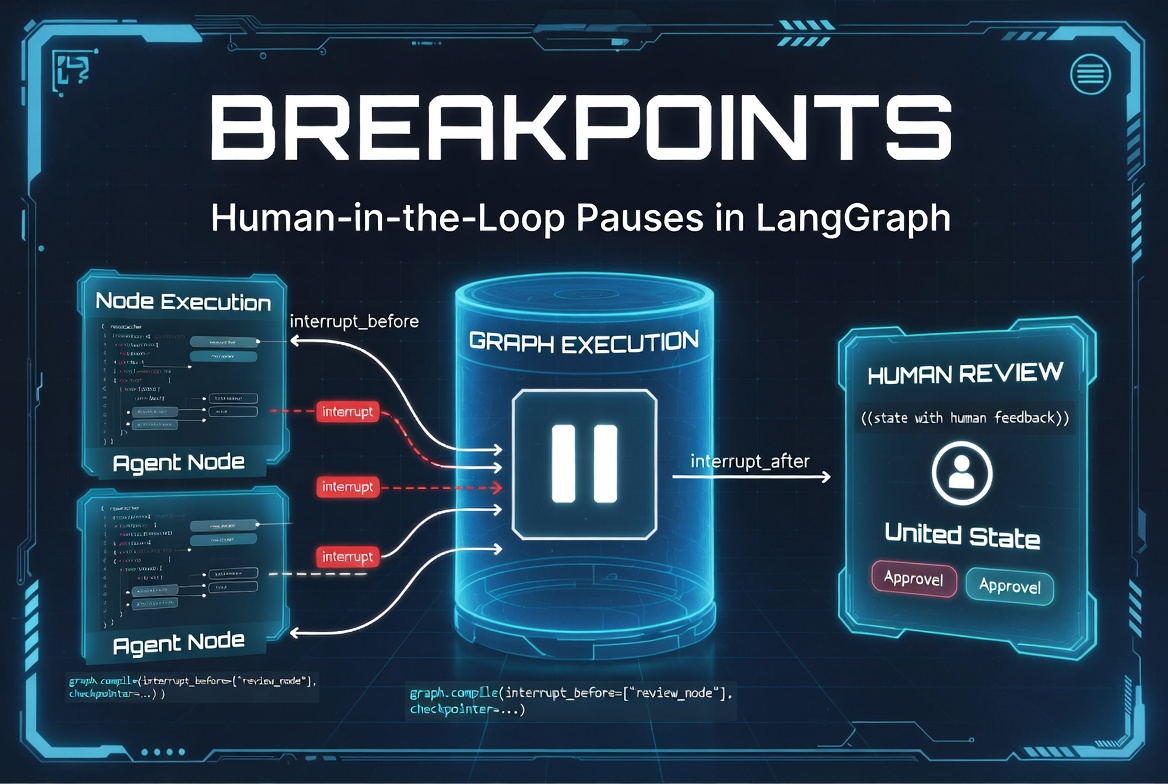
What Are Breakpoints?
Breakpoints in LangGraph are a debugging and control feature that allows you to temporarily pause graph execution at specific nodes so you can inspect the current state, debug logic, or manually intervene.
While Interrupts are primarily designed for Human-in-the-Loop production workflows, Breakpoints are especially useful during development, testing, and debugging.
They give you fine-grained control similar to a debugger in traditional programming.
Debugging LangGraph Workflows
LangGraph workflows can become complex with cycles, parallel branches, and multi-agent coordination. Breakpoints help you:
- Understand what’s happening inside each node
- Inspect intermediate state
- Debug conditional routing logic
- Fix issues in loops
- Validate tool outputs
from langgraph.graph import StateGraph, START, END

graph = StateGraph(AgentState)

graph.add_node("agent", agent_node)
graph.add_node("tools", tool_node)

# Add breakpoint for debugging
app = graph.compile(
    checkpointer=MemorySaver(),
    interrupt_before=["tools"]   # Pause before tools node
)
Pausing Execution for Inspection
You can pause execution before or after specific nodes:
app = graph.compile(
    checkpointer=MemorySaver(),
    interrupt_before=["agent", "tools"],      # Pause before these nodes
    # interrupt_after=["retriever"]           # Or after these nodes
)
When the graph hits a breakpoint, it stops and returns control to you.
Inspecting State at Runtime
config = {"configurable": {"thread_id": "debug_001"}}

# Run until breakpoint
result = app.invoke(inputs, config)

# Inspect current state
current_state = app.get_state(config)

print("Next node to run:", current_state.next)
print("Current state:", current_state.values)
print("Messages so far:", len(current_state.values["messages"]))
You can also update state manually during a breakpoint:
app.update_state(config, {
    "messages": [AIMessage(content="Manual correction...")],
    "debug_info": "Fixed tool call error"
})
Step-by-Step Workflow Debugging
def debug_step(config):
    snapshot = app.get_state(config)
    print(f"▶️  Next: {snapshot.next}")
    print(f"State keys: {list(snapshot.values.keys())}")

    # Continue to next step
    return app.invoke(None, config)   # None = resume with no new input

# Run step by step
result = app.invoke(initial_input, config)

while result.get("__interrupt__"):
    print("Breakpoint hit. Inspecting...")
    result = debug_step(config)
Breakpoints in Cyclic Workflows
Breakpoints are extremely useful in loops to prevent infinite execution during development:
app = graph.compile(
    checkpointer=MemorySaver(),
    interrupt_before=["agent"]   # Pause every time agent runs (useful for debugging loops)
)

# You can limit breakpoints to specific iterations if needed
This allows you to step through each iteration of a ReAct loop manually.
Breakpoints with Streaming
You can combine breakpoints with streaming for powerful debugging:
for chunk in app.stream(inputs, config, stream_mode="values"):
    print("Received chunk:", chunk)

    # You can also manually trigger breakpoints during streaming
Or use
astream_events
:
async for event in app.astream_events(inputs, config, version="v2"):
    print(f"Event: {event['event']} | Node: {event.get('name')}")
Using Breakpoints During Development
Recommended Development Pattern:
# Development mode with frequent breakpoints
app = graph.compile(
    checkpointer=MemorySaver(),
    interrupt_before=["tools", "final_answer"],   # Strategic breakpoints
    debug=True
)

# Run and step through
result = app.invoke(inputs, config)

while app.get_state(config).next:
    print("\n--- Paused at", app.get_state(config).next, "---")
    input("Press Enter to continue...")
    result = app.invoke(None, config)   # Resume
Common Breakpoint Mistakes
- Forgetting to use a checkpointer (state is lost when paused)
- Placing too many breakpoints (workflow becomes tedious)
- Not resuming correctly (invoke(None, config))
- Using breakpoints in production without proper controls
- Not inspecting state before resuming
Best Practices for Breakpoints
- Use breakpoints liberally during development, sparingly in production
- Always use a persistent checkpointer
- Place breakpoints at decision points and before critical actions
- Clearly label breakpoint nodes (debug_review, human_check, etc.)
- Combine with streaming for maximum visibility
- Document expected state at each breakpoint
- Remove or conditionalize breakpoints before deploying to production
# Conditional breakpoints for development
if os.getenv("DEBUG_MODE") == "true":
    app = graph.compile(
        checkpointer=checkpointer,
        interrupt_before=["agent", "tools"]
    )
else:
    app = graph.compile(checkpointer=checkpointer)
Breakpoints turn LangGraph from a black box into a transparent, debuggable system,
giving you full visibility and control during development.
AI agent LangChain LangGraph Python